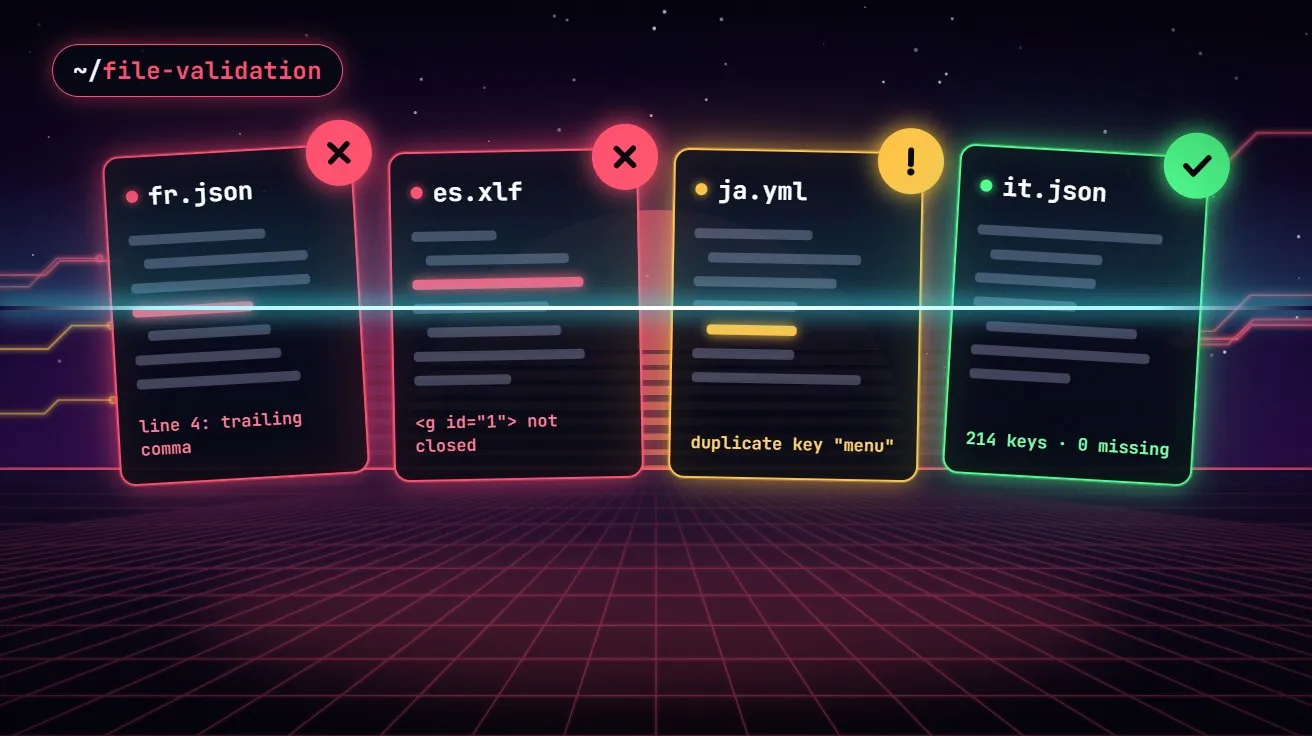
A broken file costs minutes before translation and days after it. These are the errors I see most often, the checks that catch them and where to run those checks.
Release day, fifteen markets. The translations are done and approved. The localized files go back into the build, and the build fails.
Not because of a bad translation. Because someone fixed a typo in a JSON file by hand and left a comma after the last item. Or an XLIFF came back from a vendor with one inline tag that never closes. Or a YAML file gained a space at the start of one line.
Most of the worst localization bugs I have dealt with were exactly this: a file that lost its structure somewhere along the way. Localization file validation is checking, automatically, that a file is structurally sound before it reaches a translator, a translation management system (TMS) or a build. It is the cheapest quality step in the whole process and the one teams skip most often.
Why it is worth the trouble
A parsing error is never just one error. It sets off a chain:
- The TMS or CAT tool rejects the file, and the project stops before a single word is translated.
- Someone has to triage it: find the error, fix it, resend it. Hours nobody planned for.
- If a half-broken file gets through, translators work with missing segments or damaged placeholders, and those problems end up in the translation memory, where they keep coming back.
- The build fails. A file can be perfectly translated and still crash the app.
The cost grows at every step. An error caught by a pre-commit hook costs a minute. The same error found after translation into twenty languages costs twenty fixes and a lot of emails.
How each format breaks
XLIFF
XLIFF is the exchange format of the industry. Its XML structure is what makes it reliable, and what makes it fragile.
- Broken inline tags.
<g>,<x/>and<ph>protect code and formatting. One unclosed or badly nested tag, or a changed attribute, and the file can no longer be merged back. - Undeclared namespaces. Using
sdl:orxliff:elements without declaring the namespace in the root element is a fatal error for any parser. - Wrong encoding. A file saved as ANSI instead of UTF-8 garbles every character outside Latin-1. I wrote a whole article about character encoding in localization.
<trans-unit id="welcome">
  <source>Hello <g id="1">{name}</g>!</source>
  <target>¡Hola <g id="1">{name}!</target>
</trans-unit>
The <g> in the target is never closed, so the whole document stops being well-formed. One tag, one segment, and nothing in the file can be read.
JSON
JSON runs most web and mobile localization. It has no schema by default, so it breaks easily when someone edits it by hand. More in JSON for localization.
- Syntax. A comma after the last item, a missing brace, single quotes instead of double quotes.
- Missing or extra keys. If
en.jsonhas a key thatfr.jsondoes not, the app shows the raw key (app.title) or crashes. - Escaping. A lone backslash instead of
\\, or a broken\uXXXXsequence.
{
  "app.title": "My App",
  "app.greeting": 'Hello',
  "app.cta": "Start",
}
Two errors: single quotes around Hello and a trailing comma after app.cta. Both invisible to most people and fatal to every parser.
YAML
YAML is everywhere in configuration and in frameworks like Ruby on Rails. Its structure is the indentation, which is exactly why it breaks.
- Indentation. One space too many, one too few or a tab, and the hierarchy changes or the file stops parsing.
- Values that look like structure. A value with
:inside, or starting with{,!or>, needs quotes. - Duplicate keys. Not valid YAML, and very easy to introduce when merging two files.
en:
  menu:
    save: Save
   open: Open
  title: Error: file not found
  menu: Duplicate
The open line is misaligned, the title value needs quotes and menu appears twice.
PO (gettext)
PO files are the backbone of open-source localization: Django, WordPress, anything built on gettext. I go deeper in my guide to PO files.
- Plural forms. Each language needs as many
msgstr[n]entries as itsPlural-Formsheader says: two for English, three for Polish or Russian. - Fuzzy entries nobody reviewed. When the source changes,
msgmergemarks the old translation as#, fuzzy. Fuzzy entries are skipped when the file is compiled to MO, so the text ships untranslated. - Placeholders.
%s,%dor%(name)smust survive translation exactly as they are.
#, fuzzy
msgid "Delete %d files?"
msgstr "¿Eliminar archivos?"
Still fuzzy, and the %d is gone. Two bugs in three lines.
DITA and other XML
DITA is the standard for structured technical documentation. Reuse and multichannel publishing only work if the structure is strict.
- Invalid structure. The document breaks the rules of its DTD or schema.
- Broken references. An
@hrefpointing to a topic or image that is not there, or a@conrefthat does not resolve, leaves holes in the output. - Unused keys. A
<keydef>that nothing references is dead content.
Many of these are data-integrity problems wearing a syntax costume. A missing JSON key is a broken link between code and content. A wrong plural form guarantees a bad experience for part of your users.
What a DTD is, and why “well-formed” is not enough
A DTD (Document Type Definition) is the blueprint of an XML document. It says which elements may appear, in which order, how many times and with which attributes. A validating parser is the inspector who checks the building against the blueprint.
<!ELEMENT article (title, para+)>
<!ATTLIST article id CDATA #REQUIRED>
<!ELEMENT title (#PCDATA)>
<!ELEMENT para (#PCDATA)>
This DTD says an article must contain one title followed by one or more para, and must have an id. This document passes:
<?xml version="1.0" encoding="UTF-8"?>
<article id="release-2-0">
  <title>Release notes</title>
  <para>Version 2.0 adds dark mode.</para>
</article>
This one fails twice: no id, and the title comes after the paragraph.
<article>
  <para>Version 2.0 adds dark mode.</para>
  <title>Release notes</title>
</article>
Notice that the second document is perfectly well-formed: every tag is closed. It is just not valid. Well-formed means it follows XML syntax; valid means it also follows the rules of its DTD or schema. A tool that only checks the first will happily pass a file that breaks your publishing chain.
Checking it with Python
These are the snippets I use as a starting point, one per format. I have tested every one of them against the broken examples above.
XML, XLIFF and DTD with lxml
from lxml import etree

def check_xml(path, dtd_path=None):
    """Well-formedness and, optionally, DTD validation."""
    try:
        doc = etree.parse(path)  # parses bytes: honours the declared encoding
    except etree.XMLSyntaxError as err:
        return [f"Not well-formed: {err}"]
    if dtd_path:
        dtd = etree.DTD(dtd_path)
        if not dtd.validate(doc):
            return [str(error) for error in dtd.error_log]
    return []
A well-formed XLIFF can still be wrong for localization. This check compares the inline tags of each source and its target:
XLIFF = {"x": "urn:oasis:names:tc:xliff:document:1.2"}

def check_xliff_tags(path):
    doc = etree.parse(path)
    problems = []
    for unit in doc.iterfind(".//x:trans-unit", XLIFF):
        source = unit.find("x:source", XLIFF)
        target = unit.find("x:target", XLIFF)
        if target is None:
            continue
        def tags(element):
            return sorted((child.tag, child.get("id")) for child in element.iter() if child is not element)
        if tags(source) != tags(target):
            problems.append(f"trans-unit {unit.get('id')}: inline tags differ")
    return problems
JSON: syntax and key parity
import json

def flatten(data, prefix=""):
    for key, value in data.items():
        if isinstance(value, dict):
            yield from flatten(value, f"{prefix}{key}.")
        else:
            yield f"{prefix}{key}"

def check_json_keys(source_path, target_path):
    """json.load fails on syntax errors; then compare the keys of both locales."""
    with open(source_path, encoding="utf-8") as f:
        source = set(flatten(json.load(f)))
    with open(target_path, encoding="utf-8") as f:
        target = set(flatten(json.load(f)))
    return {"missing": sorted(source - target), "extra": sorted(target - source)}
YAML: syntax and duplicate keys
from ruamel.yaml import YAML
from ruamel.yaml.error import YAMLError

def check_yaml(path):
    # ruamel.yaml rejects duplicate keys; PyYAML silently keeps the last one
    yaml = YAML()
    try:
        with open(path, encoding="utf-8") as f:
            yaml.load(f)
    except YAMLError as err:
        return [str(err)]
    return []
That comment matters more than it looks. PyYAML, the library most people reach for first, accepts duplicate keys without a word and keeps the last value. Your validator says everything is fine and half a menu disappears.
PO: untranslated, fuzzy and placeholders with polib
import re
import polib

PLACEHOLDER = re.compile(r"%(?:\(\w+\))?[sdif]|\{\w*\}")

def check_po(path):
    po = polib.pofile(path)
    problems = [f"Untranslated: {e.msgid[:40]!r}" for e in po.untranslated_entries()]
    problems += [f"Fuzzy (ignored when compiled): {e.msgid[:40]!r}" for e in po.fuzzy_entries()]
    for entry in po.translated_entries():
        if entry.msgstr and sorted(PLACEHOLDER.findall(entry.msgid)) != sorted(PLACEHOLDER.findall(entry.msgstr)):
            problems.append(f"Line {entry.linenum}: placeholders differ")
    return problems
With checks like these, a localization team can find and fix most file problems without escalating to the product’s developers, which is good for everyone’s calendar.
Want to try it without installing anything? My free Master File Validator runs this kind of check (syntax, encoding, DTD, PO placeholders) on whole batches, in your browser. Your files never leave your computer.
Where to run the checks
The principle is simple: catch the error as early as possible, because that is where it is cheapest.
- Before the commit. A pre-commit hook validates every localization file before the change is accepted. The developer finds out in seconds, while they still remember what they touched.
- In continuous integration. Make validation a required step. If a file fails, the build fails, and nothing broken gets deployed or sent to the TMS.
- At the door of the TMS. Before importing, run a last check through the TMS API or command line, especially for files that arrive by email or from vendors, outside version control.
A minimal pre-commit configuration:
repos:
  - repo: local
    hooks:
      - id: validate-localization
        name: Validate localization files
        entry: python scripts/validate_l10n.py
        language: python
        additional_dependencies: [lxml, polib, ruamel.yaml]
        files: \.(xlf|xliff|json|ya?ml|po)$
What should block a release
Not every finding deserves to stop a launch. My rule of thumb: block on anything that stops a parser (syntax), loses content (missing keys, unclosed tags, fuzzy entries) or breaks behaviour at runtime (placeholders, plural forms). Everything cosmetic goes to a review queue.
What validation will not catch
Structural validation is necessary, not sufficient. The QA in your CAT tool (terminology, numbers, tags) only works properly on files that were parsed correctly to begin with; for that layer, my free setup is CheckMate with LanguageTool. And linguistic and visual QA still needs people: tone, cultural fit, grammar, a German string that no longer fits its button.
If you lead a team, the best investment is upstream: teach developers to externalize every user-facing string and never to build sentences by concatenating pieces. Half the problems in this article never get created.
File validation is not a box on a project plan. It is what makes multilingual releases boring, in the best sense of the word. If you are setting this up and want a second pair of eyes, let’s talk. And if you want the bigger picture, here is what localization engineering actually is.