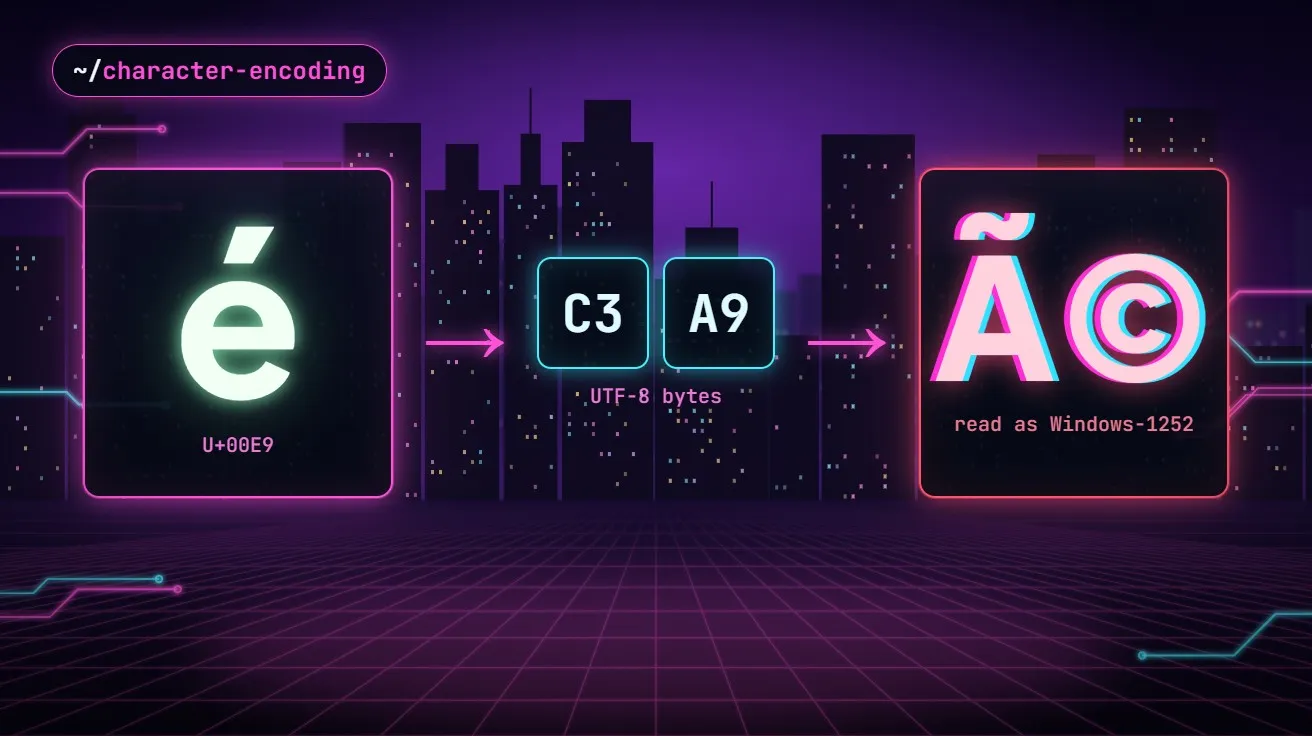
Most encoding bugs are not mysterious. A file was written in one encoding, read in another, and the text paid for it.
A client sends back a translated CSV. It looks perfect on their screen. Your import script turns every “ó” into “ó” and every apostrophe into “’”, and somebody in a meeting asks whether the translator was having a bad day.
Nobody changed a word. The bytes are exactly the ones the translator saved. They were just read with the wrong rules.
I have been cleaning up this kind of problem for more than a decade, first as a translator and now as an engineer, and the pattern never changes. Encoding problems are cheap to prevent and expensive to fix, because by the time anyone notices, the broken text is already in a translation memory, a database and three other files.
Characters, code points and bytes
There are three layers here, and most of the confusion comes from mixing them up.
- A character is what a reader sees: é.
- A code point is the number Unicode gives it: U+00E9. Unicode is a catalogue of well over 150,000 characters, each with its own number.
- An encoding decides how that number is written to disk as bytes.
The same characters in four encodings:
| Character | Code point | UTF-8 | UTF-16 LE | Windows-1252 | ISO-8859-1 |
|---|---|---|---|---|---|
| é | U+00E9 | C3 A9 | E9 00 | E9 | E9 |
| € | U+20AC | E2 82 AC | AC 20 | 80 | not available |
| 日 | U+65E5 | E6 97 A5 | E5 65 | not available | not available |
| 😀 | U+1F600 | F0 9F 98 80 | 3D D8 00 DE | not available | not available |
Two things are worth noticing. Windows-1252 and ISO-8859-1 are not the same thing, whatever your editor says: the euro sign exists in one and not in the other. And a file has no idea which encoding it uses. Nothing in those bytes says “I am UTF-8”. Whoever reads the file has to know, or guess.
Most of the bugs in this article are a wrong guess.
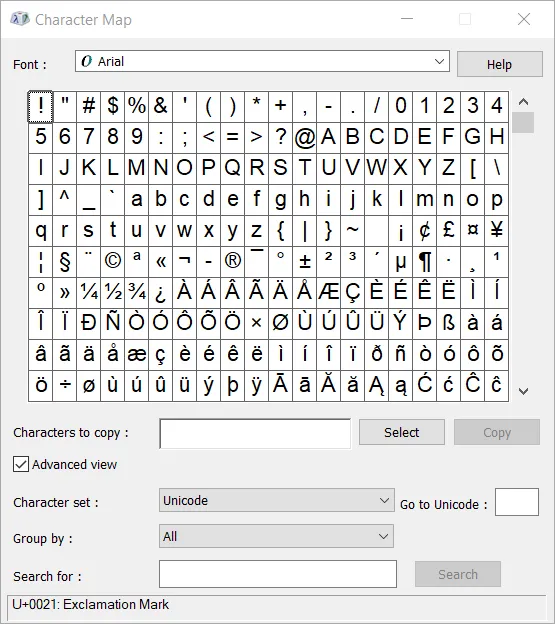
If you are on Windows, Character Map shows the code point of whatever you select at the bottom of the window. It is a quick way to see the numbers behind the letters.
Why é turns into é
UTF-8 writes é as two bytes, C3 A9. Open the file as Windows-1252, which maps one byte to one character, and you get two characters: C3 is “Ô and A9 is ”©”.
>>> "é".encode("utf-8").decode("cp1252")
'é'
>>> "don’t".encode("utf-8").decode("cp1252")
'don’t'
That is mojibake, and it has a recognizable signature. After a while you read it like a second alphabet:
| You see | It was |
|---|---|
| é | é |
| ñ | ñ |
| ó | ó |
| É | É |
| ’ | ’ |
| “ | “ |
| — | — |
| € | € |
If the text goes through the same mistake twice, the apostrophe becomes “’”. When I see that one, I know at least two tools in the chain are guessing.
The good news is that mojibake is usually reversible, because no bytes were lost. They were only misread.
>>> "Cancelar operación".encode("cp1252").decode("utf-8")
'Cancelar operación'
For anything beyond a quick check, use ftfy, which handles the messy cases. On localization content, call fix_encoding() rather than fix_text(): fix_text() also straightens curly quotes by default, and the translator chose those quotes on purpose.
>>> import ftfy
>>> ftfy.fix_encoding("don’t")
'don’t'
>>> ftfy.fix_text("don’t")
"don't"
� and ??? are worse
Two other symptoms look similar and are not.
� (U+FFFD, the replacement character) appears when a program reads bytes that are not valid in the encoding it expects and decides to replace them instead of failing. If the file was saved after that, the original character is gone. There is nothing left to repair.
>>> "Configuración".encode("cp1252").decode("utf-8", errors="replace")
'Configuraci�n'
Literal question marks appear when text is saved in an encoding that cannot represent it. Japanese saved as Windows-1252 does not become mojibake. It becomes ”???”, and that is also unrecoverable.
That is the practical difference. Mojibake means “go back and read it correctly”. � and ??? mean “go back and find the original file”.
UTF-8, UTF-16 and the code pages that refuse to die
UTF-8 should be the default for everything you create: web pages, JSON, YAML, XLIFF, PO, source code, Git repositories. It is compatible with ASCII, compact for Latin scripts and used by the overwhelming majority of the web. The JSON standard goes as far as requiring it for files exchanged between systems.
UTF-16 is what Windows, Java, .NET and JavaScript use internally for strings, and it leaks into files more often than people expect. Excel’s “Unicode Text” export is UTF-16. So are some Windows resource files and older iOS .strings files. It is not wrong, but most pipelines assume UTF-8, so I convert UTF-16 at the door.
Legacy code pages are still everywhere in real projects:
- On Windows, Excel’s plain “CSV (Comma delimited)” saves in the system ANSI code page, which on a Western European machine is Windows-1252. Anything outside it becomes a question mark. “CSV UTF-8” is the option you want.
- Subtitles (.srt) from older workflows often arrive in Windows-1252, or in Windows-1256 for Arabic.
- Java
.propertiesfiles were read as ISO-8859-1 until Java 9, which is why so many of them are full of\u00e9escapes. Since Java 9, resource bundles are read as UTF-8 by default. - Old databases, CRM exports and anything with “ANSI” in a menu.
And one database trap that has hurt more projects than all of the above: in MySQL, utf8 means a three-byte subset of UTF-8. Emoji and some CJK characters do not fit. The character set you want is utf8mb4.
The BOM: useful, harmful, or both
The byte order mark is the character U+FEFF at the very start of a file. In UTF-16 it is necessary, because it tells you the byte order: FF FE means little-endian, FE FF big-endian. In UTF-8 (EF BB BF) there is no byte order to tell, so it is just a signature that says “this is UTF-8”.
Excel needs that signature to open a UTF-8 CSV correctly. Plenty of other software chokes on it:
>>> json.load(open("strings.json", encoding="utf-8"))
json.decoder.JSONDecodeError: Unexpected UTF-8 BOM (decode using utf-8-sig): line 1 column 1 (char 0)
My rule: no BOM in anything a program reads (JSON, YAML, PO, source code), and a BOM only in CSV files meant to be opened in Excel. When reading, Python’s utf-8-sig codec accepts files with or without a BOM and strips it if it is there.
Declarations that lie
Some formats declare their encoding: the XML declaration, the PO header, the HTML meta charset. A declaration is a promise, not a fact.
<?xml version="1.0" encoding="UTF-8"?>If that file was actually saved as Windows-1252, a strict parser stops at the first accented character (“Input is not proper UTF-8”) and a lenient one quietly produces mojibake. PO templates ship with charset=CHARSET in the header until somebody fills it in. Check the bytes, not the label.
The same word, two different strings
Unicode allows some characters to be written in more than one way. “é” can be a single code point (U+00E9) or an “e” followed by a combining accent (U+0065 U+0301). They look identical, and they are not equal:
>>> import unicodedata
>>> nfd = unicodedata.normalize("NFD", "é")
>>> len("é"), len(nfd), "é" == nfd
(1, 2, False)
In localization this shows up as a term that is clearly in the glossary but never matches, a translation memory that misses an exact match, or a QA check that flags two identical strings. Text from macOS file names and PDF extraction are common sources. Normalize to NFC (unicodedata.normalize("NFC", text)) before you compare anything.
Sorting is not an encoding problem
You will read that the right encoding makes lists sort correctly in every language. It does not. Encoding decides how characters are stored. Alphabetical order depends on rules that change from one language to another, and those rules are called collation.
Sort by code point and Spanish comes out wrong:
const words = ["Zoe", "Álvaro", "árbol", "Ñandú", "Nube"];
words.sort();
// [ 'Nube', 'Zoe', 'Álvaro', 'Ñandú', 'árbol' ]
words.sort(new Intl.Collator("es").compare);
// [ 'Álvaro', 'árbol', 'Nube', 'Ñandú', 'Zoe' ]
The rules really are different per language: Swedish puts “Öl” after “Zebra”, German puts it next to “Ofen”. Use a collation library (ICU, Intl.Collator in JavaScript, the collation settings of your database) and test sorting with real data in the target language.
What I check on every file
None of this needs expensive tools. Before a file goes to translation, and again before it goes back into a build, I want four answers: is it valid UTF-8, does it have a BOM, has something already replaced characters, and does anything look like mojibake?
import codecs
import re

BOMS = {
    codecs.BOM_UTF8: "UTF-8 with BOM",
    codecs.BOM_UTF16_LE: "UTF-16 LE",
    codecs.BOM_UTF16_BE: "UTF-16 BE",
}
# Bytes 0x80–0xBF (UTF-8 continuation bytes) as Windows-1252 displays them
TAIL = bytes(range(0x80, 0xC0)).decode("cp1252", errors="ignore")
MOJIBAKE = re.compile(f"[ÂÃ][{re.escape(TAIL)}]|â€")


def check_encoding(path):
    raw = open(path, "rb").read()
    problems = []
    for bom, name in BOMS.items():
        if raw.startswith(bom):
            if name.startswith("UTF-16"):
                return [f"{name} file: convert it to UTF-8 before it goes anywhere"]
            problems.append(f"{name}: fine for Excel, breaks some parsers")
    try:
        text = raw.decode("utf-8-sig")
    except UnicodeDecodeError as err:
        snippet = raw[max(0, err.start - 10):err.start + 4]
        return problems + [f"Not UTF-8: byte {raw[err.start]:#04x} at position {err.start} ({snippet!r})"]
    if "\ufffd" in text:
        problems.append("U+FFFD found: something already replaced bytes it could not read")
    if match := MOJIBAKE.search(text):
        problems.append(f"Mojibake: {match.group()!r} looks like UTF-8 read as Windows-1252")
    return problems
Run it on a file saved as Windows-1252 and you get the position of the first bad byte, which is usually enough to find the tool that wrote it:
Not UTF-8: byte 0xf3 at position 11 (b'onfiguraci\xf3n')If you would rather not write the script, my free Master File Validator runs the same kind of checks (invalid UTF-8, UTF-16, BOMs, a declared encoding that does not match the bytes) on whole batches, in your browser.
The short version
- Use UTF-8 without a BOM for everything a program reads, and write that decision down where vendors and developers will see it.
- Check encoding at every handoff, not once at the end. Every tool in the chain is another chance to guess wrong.
- When you see é, do not fix the text by hand. Find the step that read it with the wrong encoding, fix that step, and convert the text back.
- When you see � or ???, stop and get the original file. Nothing downstream can bring those characters back.
- Normalize to NFC before comparing, and sort with collation, not code points.
Encoding looks like trivia until it breaks a release in twelve languages. It is also one of the first file checks I automate, and a good example of what localization engineering is really about: making sure nothing breaks between the people who write content and the people who read it.