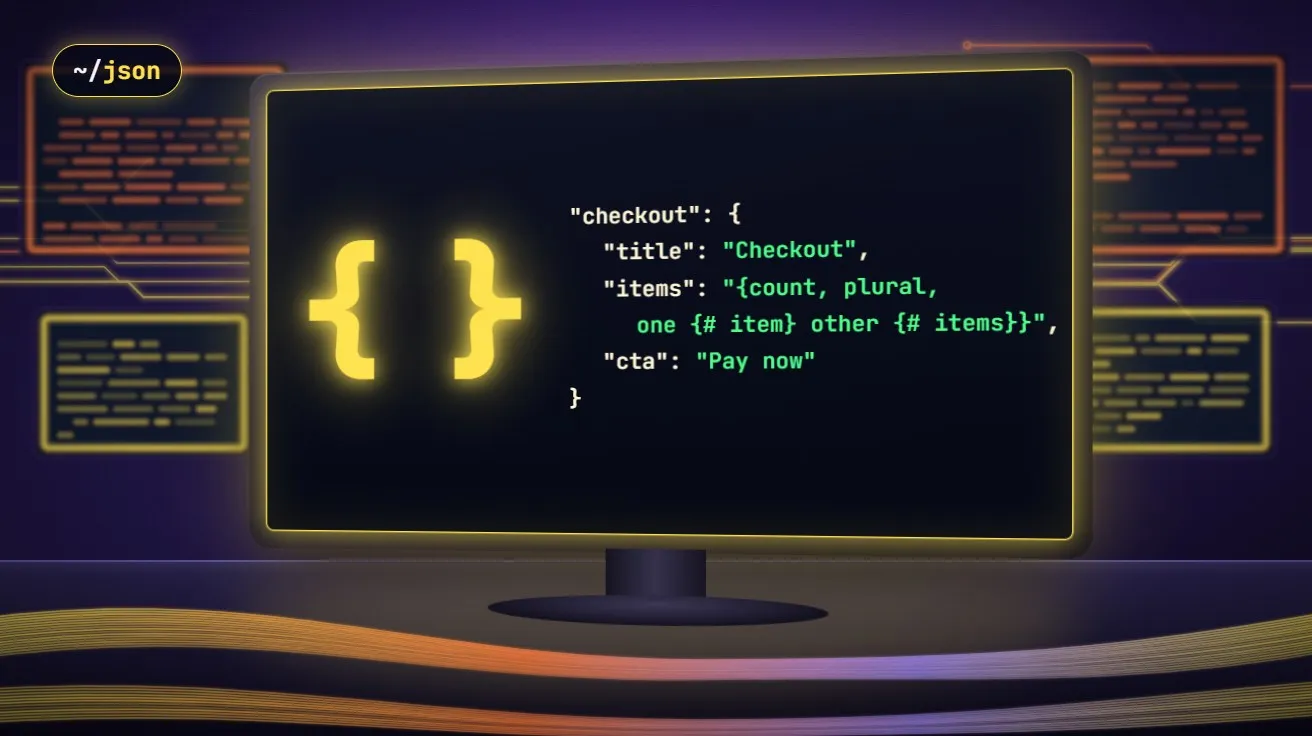
JSON was never designed for translation. It works anyway, as long as you respect three things: the keys, the syntax and the placeholders inside the strings.
The French version of a web shop goes live and the payment button says checkout.cta. Nobody broke the translation. Someone renamed a key in the English file, the French file still had the old one, and the app did exactly what it was built to do: show the key when there is no text for it.
JSON is the default format for web and mobile localization because developers already use it for everything else. That convenience has a price. The format has no idea what a translation is, so every rule that matters to us lives in conventions, libraries and checks.
What a JSON resource file looks like
The same content in two shapes:
{
  "checkout.title": "Checkout",
  "checkout.cta": "Pay now"
}{
"checkout": {
"title": "Checkout",
"cta": "Pay now"
}
}Flat keys are easier to search and diff. Nested keys mirror the structure of the interface and keep big files readable. Both work. What matters is that the key is the identity of the string: it is how the code, the translation memory and every future update find it again. Keys that describe the text (“pay_now_button”) break the day marketing changes the wording. Keys that describe the place (“checkout.cta”) survive it.
What JSON does not have
- Comments. The JSON standard has none. JSON5 and JSONC add them, but strict parsers reject them, so keep them out of resource files unless you control every tool in the chain.
- Plurals. There is no plural syntax. Each library brings its own.
- Context. Nothing tells the translator where a string appears, unless somebody adds it.
The good news is that the ecosystem has settled on a few conventions.
Plurals the i18next way
i18next, behind many React, Vue and Node apps, uses one key per plural category, with a suffix:
{
  "items_one": "{{count}} item",
  "items_other": "{{count}} items"
}
The catch is that the categories depend on the language. They come from the CLDR plural rules, the same ones browsers use. English needs one and other. French adds many for very large numbers and treats 0 as singular. Polish needs one, few, many and other. Arabic needs six. Japanese only other. Any browser or Node will tell you:
new Intl.PluralRules("pl").resolvedOptions().pluralCategories;
// [ 'one', 'few', 'many', 'other' ]
So a French or Polish file with more keys than the English one is not an error. It is the translation being correct.
Plurals the ICU way
FormatJS (react-intl), Angular and many back ends keep the whole plural inside one value, using ICU MessageFormat:
{
  "items": "{count, plural, one {# item} other {# items}}"
}
Translators need to know which parts to translate (the text inside the inner braces) and which parts must stay untouched (count, plural, one, other and #). Most CAT tools can parse ICU syntax if you enable it in the JSON filter; if yours cannot, protect it with regular expressions. Worth knowing: Unicode published MessageFormat 2.0 as a stable standard in 2025. Its syntax is different, and libraries are adopting it gradually.
Context
Some JSON formats leave room for it. Chrome extensions, for example, use a messages.json with a description next to every message:
{
  "cartTitle": {
    "message": "Your cart",
    "description": "Title of the shopping cart page"
  }
}
When your format has no slot for context, ask developers for screenshots or a separate context file, and configure your CAT tool to show those values as notes instead of translatable text.
Escaping: small characters, big crashes
Inside a JSON string, a handful of characters must be escaped:
| Character | In JSON |
|---|---|
Double quote " | \" |
Backslash \ | \\ |
| Line break | \n |
| Tab | \t |
| Any character, by code point | \u00e9 (é) |
The forward slash can be escaped (\/) but does not need to be. Typographic quotes (“ ” or « ») and accented letters need no escaping at all if the file is UTF-8. Most of the broken JSON files I see come from a straight double quote typed inside a translation in a plain text editor, or from a Windows path with single backslashes.
Duplicate keys: the silent one
The JSON standard says keys should be unique, which in standards language means “please”. Parsers disagree on what to do when they are not, and Python’s json module, like most, keeps the last value without a word:
>>> json.loads('{"checkout": {"title": "Checkout", "title": "Pay"}}')
{'checkout': {'title': 'Pay'}}
That is how half a menu disappears after someone merges two branches. A strict loader catches it:
import json

def no_duplicates(pairs):
    keys = [key for key, _ in pairs]
    duplicated = sorted({key for key in keys if keys.count(key) > 1})
    if duplicated:
        raise ValueError(f"duplicate keys: {', '.join(duplicated)}")
    return dict(pairs)

def load_strict(path):
    with open(path, encoding="utf-8") as f:
        return json.load(f, object_pairs_hook=no_duplicates)
Comparing source and target
With strict loading in place, comparing two languages takes a few more lines. The trick is to compare keys without their plural suffix, for the reason above, and to compare placeholders key by key:
import re

PLURAL = re.compile(r"_(zero|one|two|few|many|other)$")
PLACEHOLDER = re.compile(r"\{\{\s*\w+\s*\}\}|\{\w+\}|%\w")

def flatten(data, prefix=""):
    for key, value in data.items():
        if isinstance(value, dict):
            yield from flatten(value, f"{prefix}{key}.")
        else:
            yield f"{prefix}{key}", value

def compare(source_path, target_path):
    source = dict(flatten(load_strict(source_path)))
    target = dict(flatten(load_strict(target_path)))
    source_keys = {PLURAL.sub("", key) for key in source}
    target_keys = {PLURAL.sub("", key) for key in target}
    problems = [f"missing: {key}" for key in source_keys - target_keys]
    problems += [f"extra: {key}" for key in target_keys - source_keys]
    for key in source.keys() & target.keys():
        if sorted(PLACEHOLDER.findall(str(source[key]))) != sorted(PLACEHOLDER.findall(str(target[key]))):
            problems.append(f"placeholders differ: {key}")
return sorted(problems)['missing: account.greeting', 'placeholders differ: checkout.cta']That output comes from a French file that lost a whole key and translated “Pay {{amount}} now” as “Payer maintenant”, dropping the amount. Its extra items_many key, correctly, is not on the list.
For a quick syntax check without writing any code, python -m json.tool file.json and jq empty file.json both fail with the line and column of the first error.
Getting JSON through a CAT tool
Every serious CAT tool has a JSON filter, and the defaults are rarely right for a real project. Three settings make the difference:
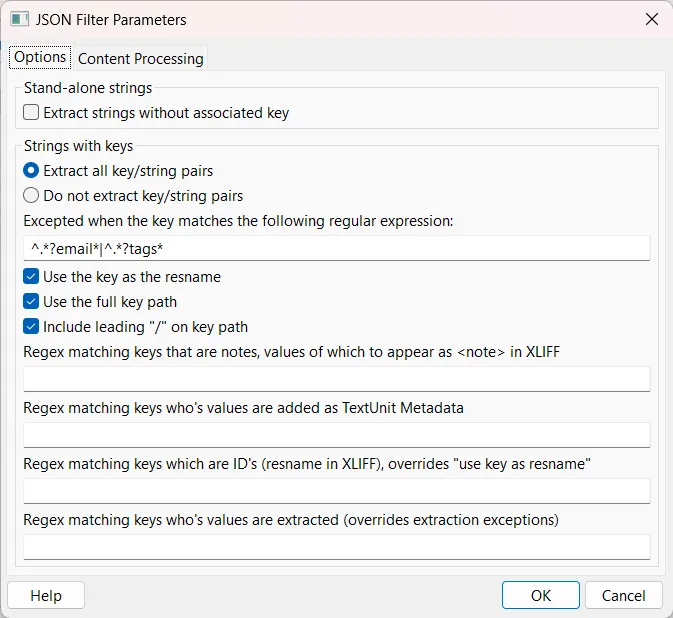
- What to extract. Usually every string value, except keys that are not text: IDs, URLs, emails, CSS classes, feature flags. Filters let you exclude keys with a regular expression.
- How to identify each string. Use the full key path as the segment ID (the resname in XLIFF). That is what lets the translation memory recognize the same string in the next release, even if it moved.
- What to protect. Turn
{{count}},{name}and ICU syntax into tags, so translators cannot break them.
This is the Okapi JSON filter in Rainbow, set to extract every key/value pair with exceptions by regular expression, and to use the key path as resname:
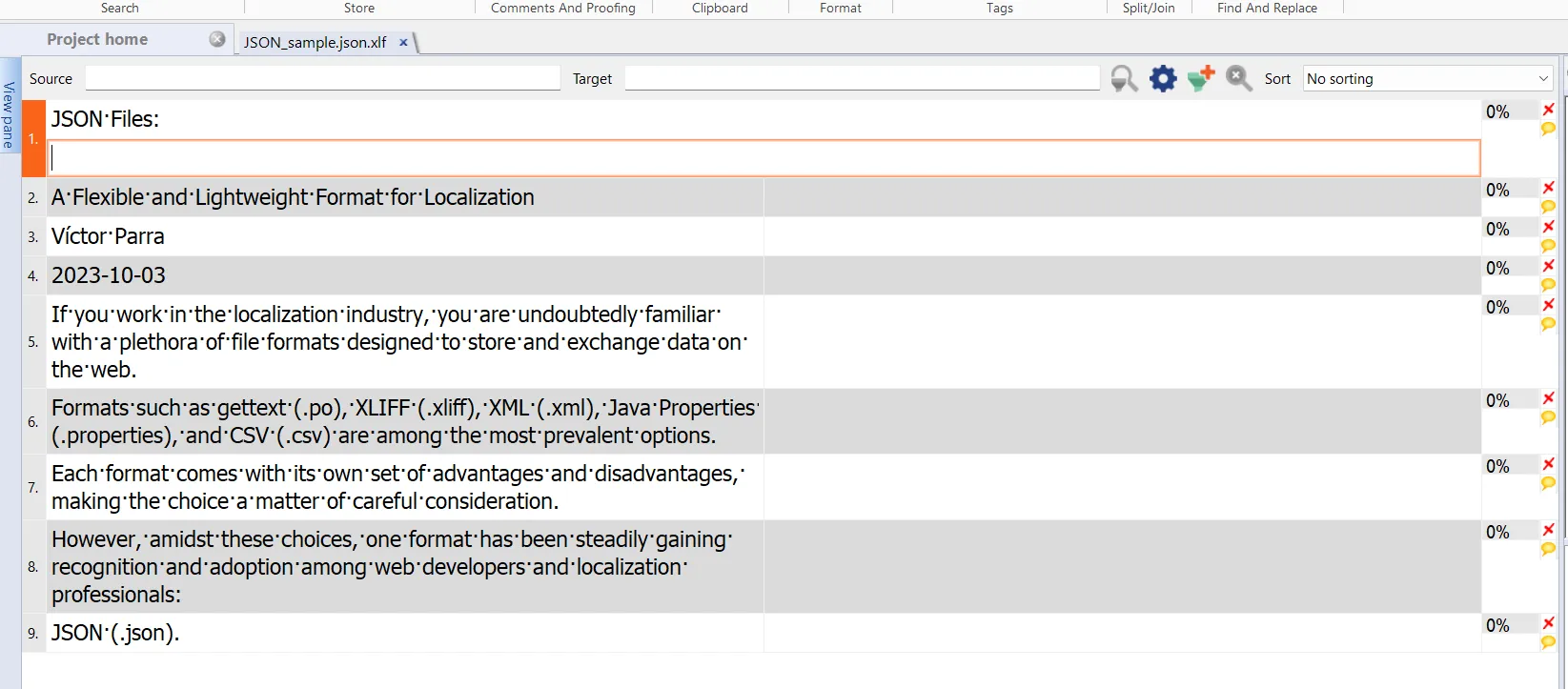
And the result as the translator sees it in memoQ, after Rainbow converted the JSON to XLIFF: only the text, segment by segment, with none of the braces, keys or quotes that could be broken.
When the structure is too irregular for any filter, you can fall back to a regex-based parser. Treat it as a last resort, and test the round trip before anything goes out.
One more thing about online validators
There are dozens of websites where you paste JSON and get a verdict. Fine for a public sample. Think twice before pasting a client’s unreleased product strings into a random website. Validate locally: with the scripts above, with your editor, or with my free Master File Validator, which runs in your browser and never uploads your files.
The short version
- The key is the identity of a string. Name keys after where the text lives, not after what it says.
- JSON has no comments, plurals or context: pick a convention (i18next, ICU, description fields) and stick to it.
- Plural keys differ by language. More keys in French or Polish is correct.
- Load JSON strictly: duplicate keys are silent data loss.
- Configure the CAT tool filter: extract text only, use key paths as IDs, protect placeholders.
For the rest of the checks, see my guide to localization file validation. If your project uses gettext instead, read about PO files.