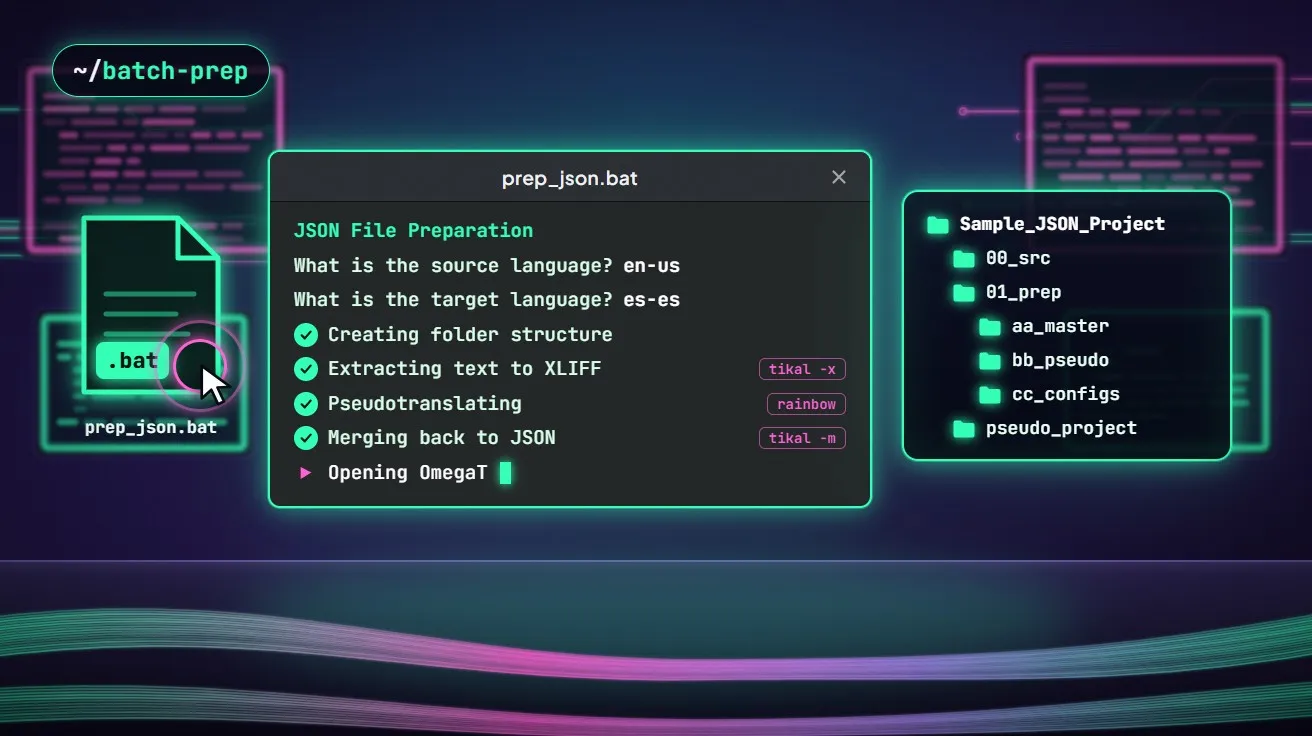
Every manual step in file preparation is a step you will eventually get wrong. This is the script that turned mine into a double-click.
Production sends me a batch of JSON files to prepare for translation, with the client’s scope and segmentation. Before anything reaches translators I want proof that the scope is right, so my preparation always includes a pseudotranslation and a look at the files in a CAT tool. Everything here is free and open source: the Okapi Framework (Tikal and Rainbow) and OmegaT.
The manual way
Done by hand, it goes like this:
- Create the folders.
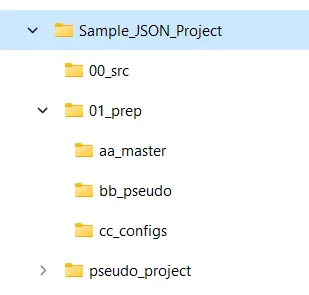
00_srckeeps the untouched originals,01_prep\aa_masterthe files being prepared,01_prep\bb_pseudothe pseudotranslation and01_prep\cc_configsthe filter configuration and segmentation rules I used, so anyone can see later how the files were prepared.
- Copy the JSON files and the configurations into place.
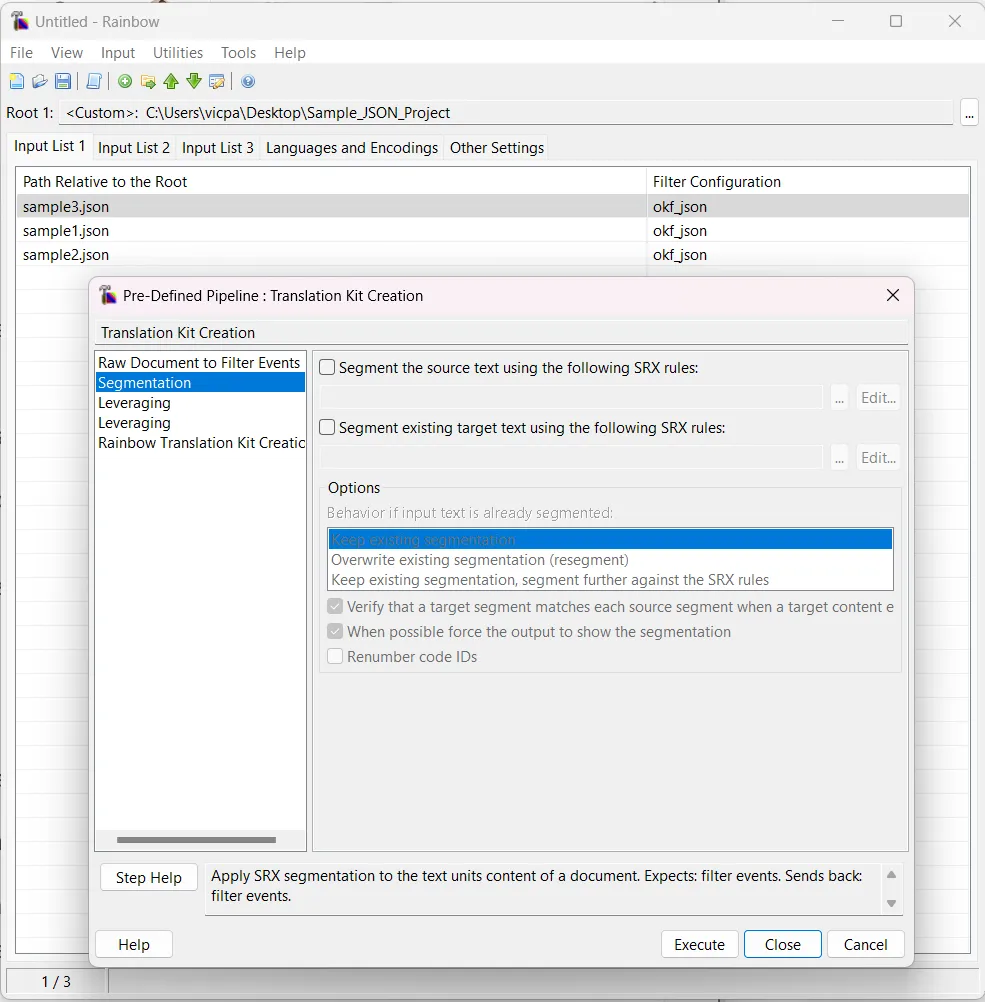
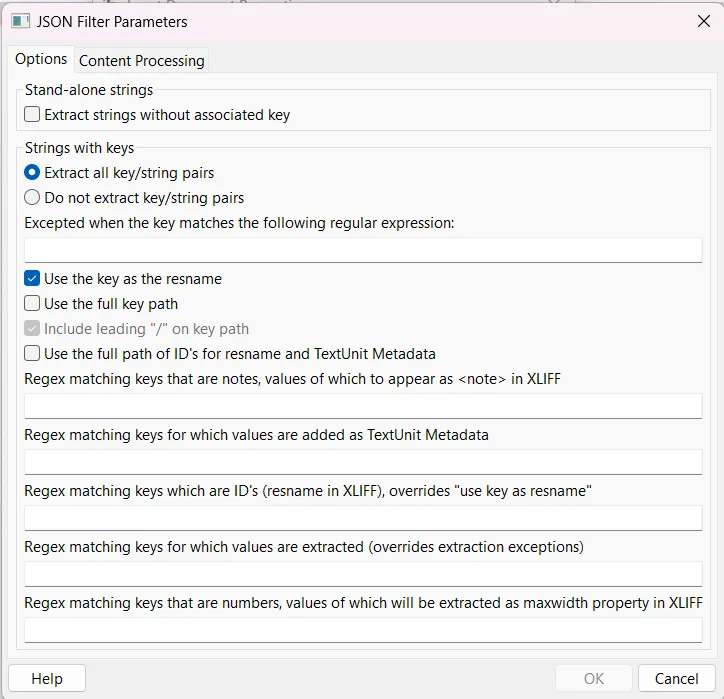
- Extract the text in Rainbow: load the files, set the languages, choose the filter configuration (
.fprm) and the segmentation rules (.srx), and create the XLIFF files.
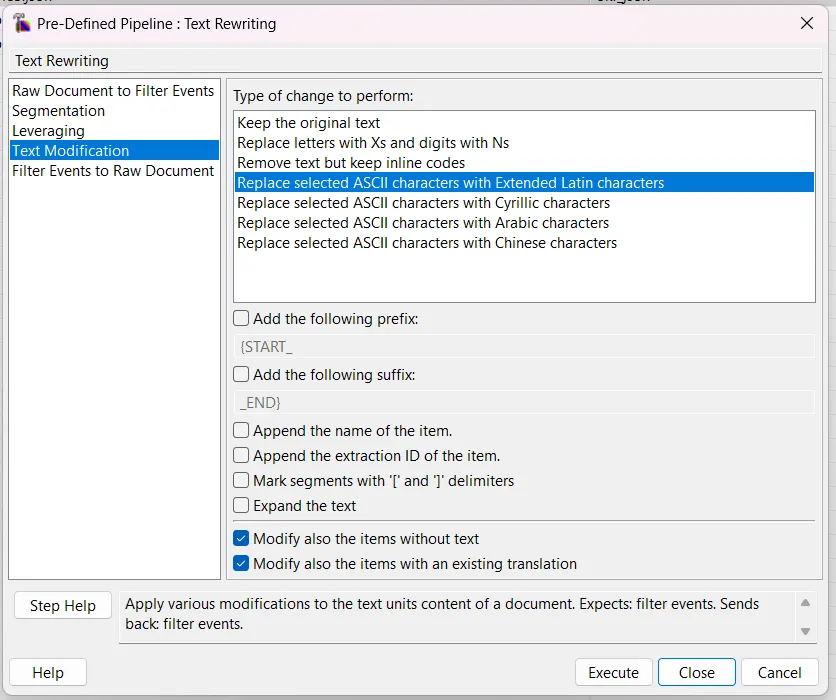
- Pseudotranslate: load the XLIFF files in Rainbow again and run the Text Rewriting pipeline with Extended Latin characters.
- Merge the pseudotranslated XLIFF files back into JSON and check that everything in scope is pseudotranslated, that nothing else is, and that the code is protected.
- Open everything in OmegaT and look at it the way a translator will.
Twenty minutes of clicking, the same every time, and every click is a chance to pick the wrong configuration or skip a file. That is what scripts are for.
Why a batch file
Every Windows machine runs .bat files out of the box: nothing to install, and any colleague can use the script with a double-click. The syntax is basic, and for chaining command-line tools it is enough. One correction to what I wrote back then: batch is not bash. It is the language of Windows’ cmd.exe, with its own syntax and its own quirks, and a few of them show up below.
The script
Okapi has a command-line side: Tikal extracts and merges, and Rainbow can run a saved pipeline. OmegaT can open a project from the command line too. That covers every step. I copy the JSON files and the script into an empty folder, double-click it, type the two languages and wait:
@echo off
setlocal
title JSON File Preparation
color 0A
cls

rem ---- Tools and shared configurations: edit once per machine ----
set "OKAPI=C:\Tools\okapi"
set "OMEGAT=C:\Program Files\OmegaT"
set "CONFIGS=%USERPROFILE%\Work\configs"
set "TEMPLATE=%USERPROFILE%\Work\templates\pseudo_project"
set "FILTER=okf_json@json-default"

rem ---- Project folders: wherever this .bat file is ----
set "PROJECT=%~dp0"
set "SRC=%PROJECT%00_src"
set "MASTER=%PROJECT%01_prep\aa_master"
set "PSEUDO=%PROJECT%01_prep\bb_pseudo"
set "CFG=%PROJECT%01_prep\cc_configs"

echo ------------------------------------------------
echo JSON File Preparation
echo victor.parra ^| Last update 2024-05-20
echo Okapi Framework
echo Java 11+
echo OmegaT
echo ------------------------------------------------
echo.
echo.
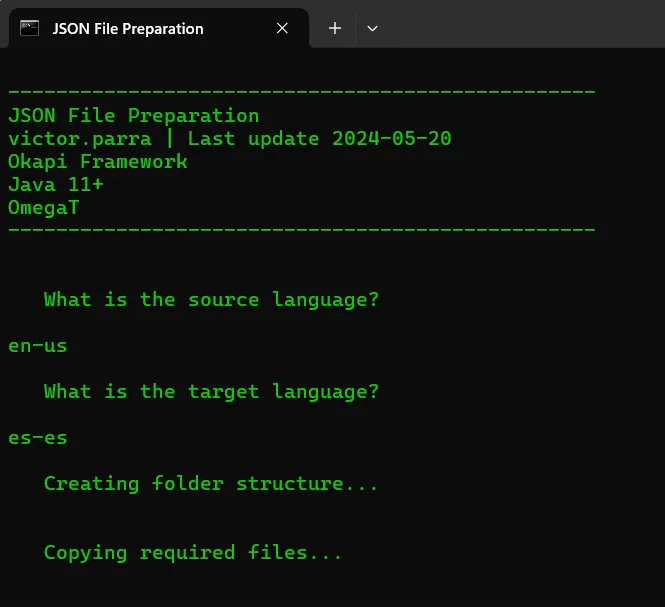
echo    What is the source language?
echo.
set /p "SL="
echo.
echo    What is the target language?
echo.
set /p "TL="
if not defined SL goto :failed
if not defined TL goto :failed

echo.
echo    Creating folder structure...
for %%d in ("%SRC%" "%MASTER%" "%PSEUDO%" "%CFG%") do if not exist %%d mkdir %%d

echo.
echo    Copying required files...
robocopy "%PROJECT%." "%SRC%" *.json >nul
if errorlevel 8 goto :failed
robocopy "%SRC%" "%MASTER%" *.json >nul
if errorlevel 8 goto :failed
robocopy "%CONFIGS%" "%CFG%" %FILTER%.fprm defaultSegmentation.srx pseudo.pln >nul
if errorlevel 8 goto :failed
robocopy "%TEMPLATE%" "%PROJECT%pseudo_project" /e >nul
if errorlevel 8 goto :failed

echo.
echo    Extracting text to XLIFF...
for %%f in ("%MASTER%\*.json") do (
    call "%OKAPI%\tikal.bat" -x "%%~f" -sl %SL% -tl %TL% -fc %FILTER% -pd "%CFG%" -seg "%CFG%\defaultSegmentation.srx"
    if not exist "%%~f.xlf" goto :failed
)

echo.
echo    Pseudotranslating prepped files...
pushd "%OKAPI%"
for %%f in ("%MASTER%\*.xlf") do (
    "%OKAPI%\rainbow.exe" -np -pln "%CFG%\pseudo.pln" -sl %SL% -tl %TL% "%%~f" -o "%PSEUDO%\%%~nxf"
    if not exist "%PSEUDO%\%%~nxf" goto :failed
)
popd

echo.
echo    Merging pseudotranslated files...
for %%f in ("%PSEUDO%\*.xlf") do (
    call "%OKAPI%\tikal.bat" -m "%%~f" -sl %SL% -tl %TL% -fc %FILTER% -pd "%CFG%" -sd "%MASTER%" -od "%PSEUDO%"
    if not exist "%PSEUDO%\%%~nf" goto :failed
)

echo.
echo    Opening the pseudo project in OmegaT...
robocopy "%PSEUDO%" "%PROJECT%pseudo_project\source" *.xlf >nul
java -jar "%OMEGAT%\OmegaT.jar" "%PROJECT%pseudo_project" >nul 2>&1
exit /b 0

:failed
echo.
echo    Something went wrong. Check the messages above.
pause
exit /b 1
What each block does
Setup. setlocal keeps the variables inside the script, and %~dp0 is the folder the .bat file is in, so the script works wherever you copy it. The paths at the top are the only lines to edit on a new machine: Okapi, OmegaT and the folder with my reusable configurations (the JSON filter configuration, the segmentation rules, the pseudotranslation pipeline and an empty OmegaT project).
The questions. Languages change from project to project, so the script asks for them. It is the only input it needs:
Folders and copies. robocopy copies the JSON files to 00_src, from there to aa_master, and the configurations to cc_configs. Careful with its exit codes: robocopy returns 1 when it has copied files successfully, and only codes of 8 or more mean errors. That is why the script checks if errorlevel 8 and not the usual if errorlevel 1.
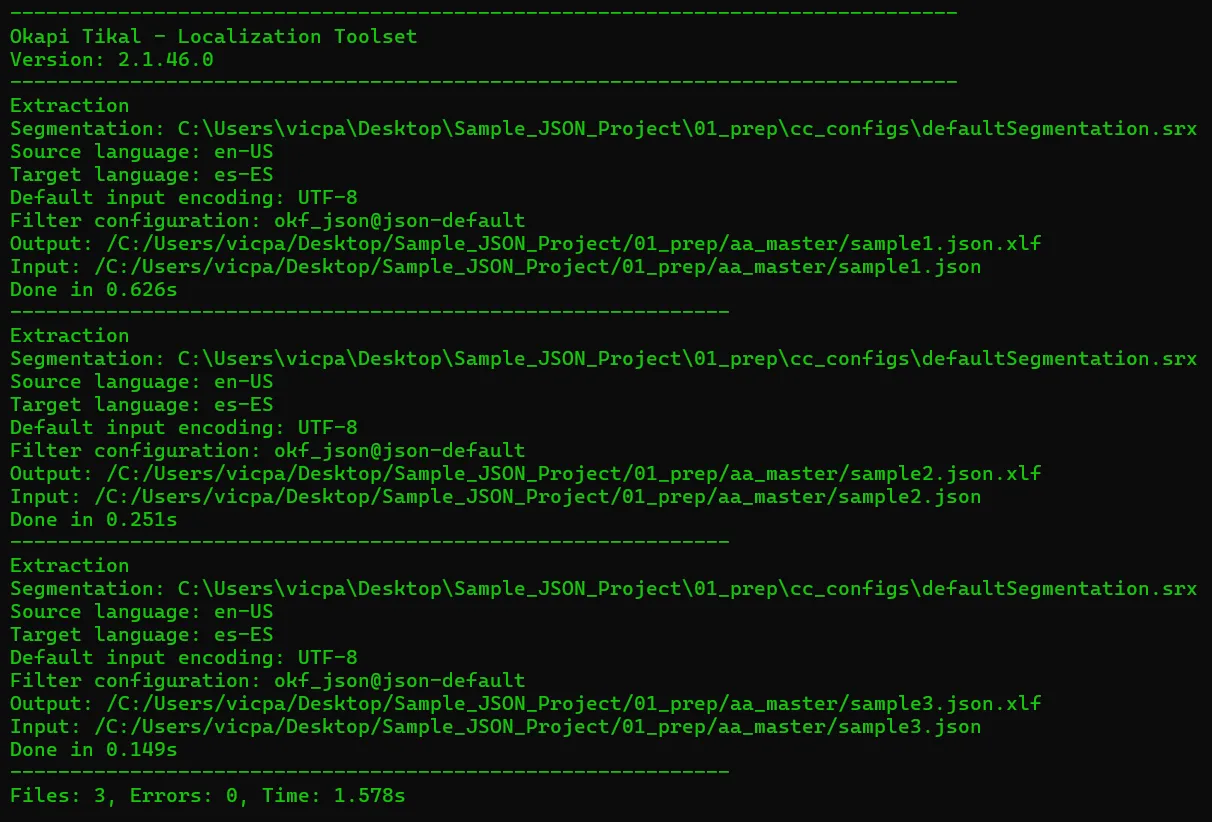
Extraction. Tikal creates an XLIFF file next to each JSON file, with the filter configuration from cc_configs (-fc and -pd) and the segmentation rules (-seg). Note the call: tikal.bat is itself a batch file, and without call the script would end after the first file.
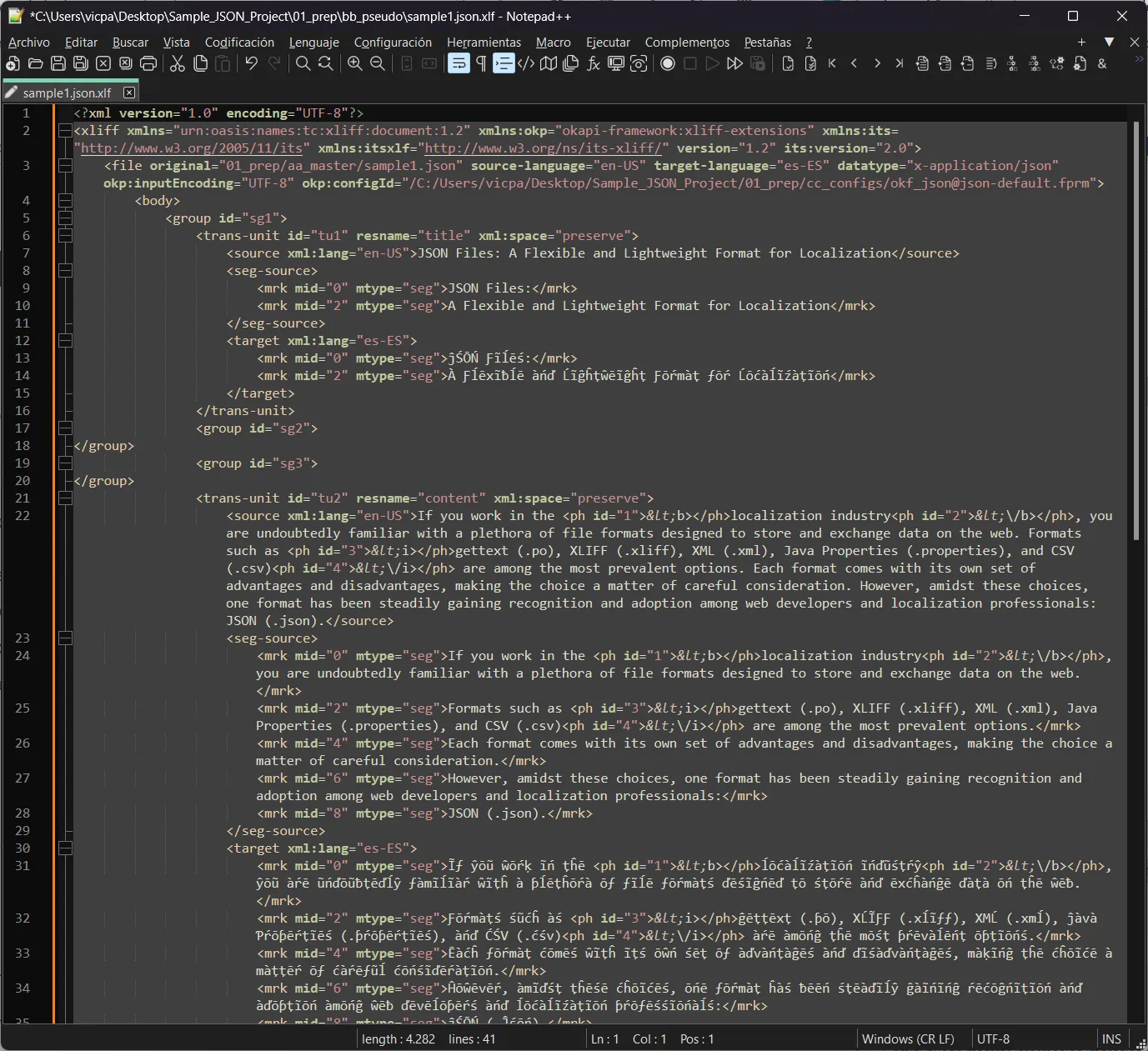
Pseudotranslation. Rainbow runs pseudo.pln on every XLIFF file and writes the result to bb_pseudo. Predefined pipelines such as Text Rewriting do not take options from the command line, so I built the same steps once in Utilities > Edit / Execute Pipeline (Raw Document to Filter Events, Text Modification set to Extended Latin, Filter Events to Raw Document) and saved the pipeline with its options. I run Rainbow from its own folder with pushd, the way it has always worked for me.
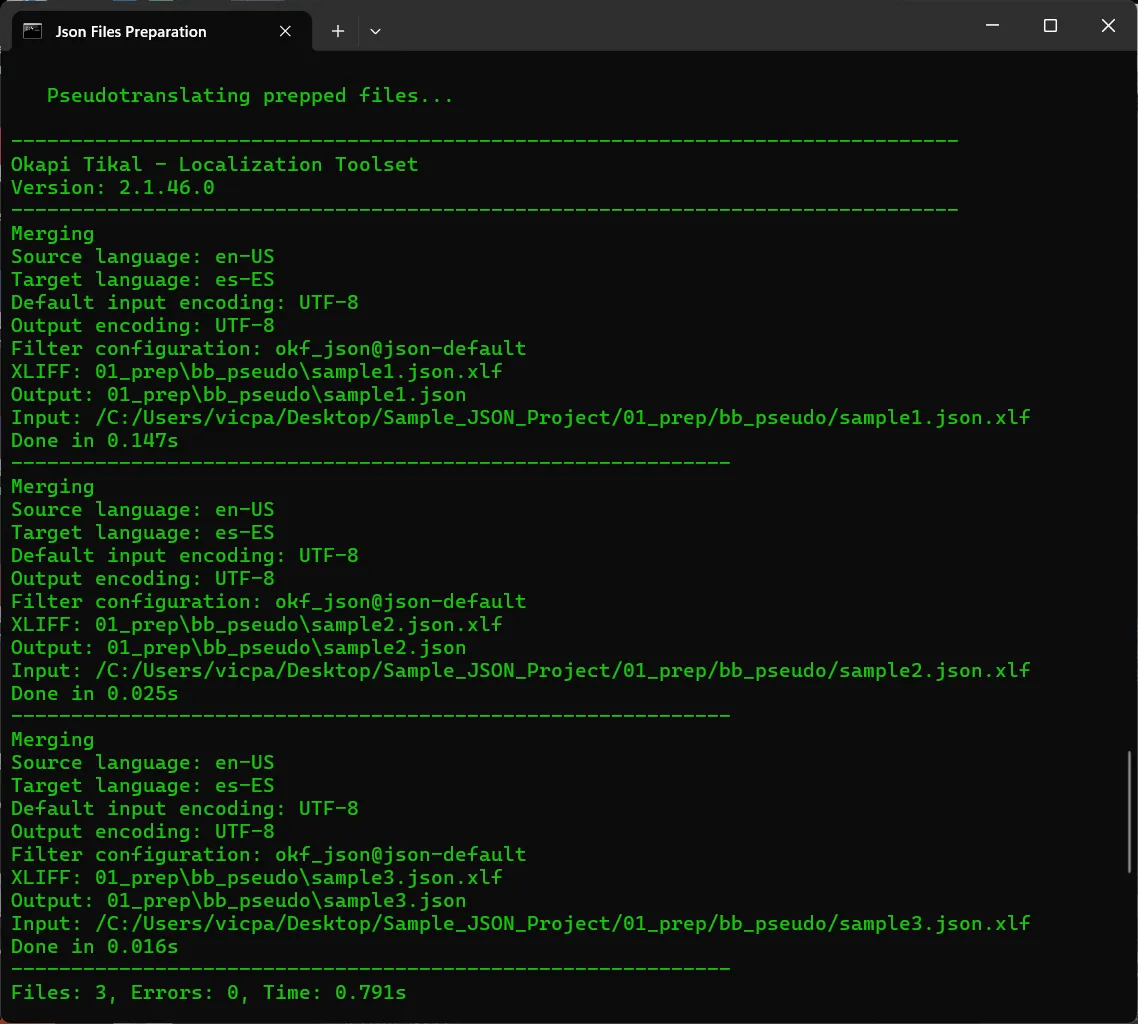
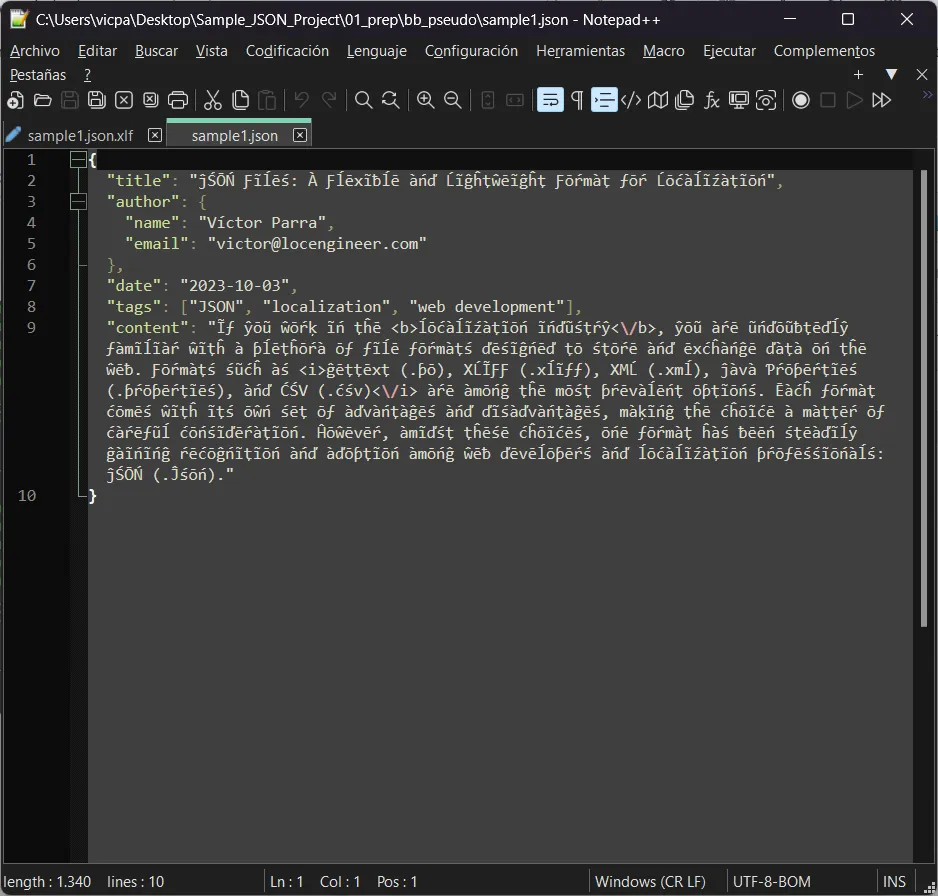
Merge. Tikal merges each pseudotranslated XLIFF file with its original in aa_master (-sd) and writes the JSON file to bb_pseudo (-od):
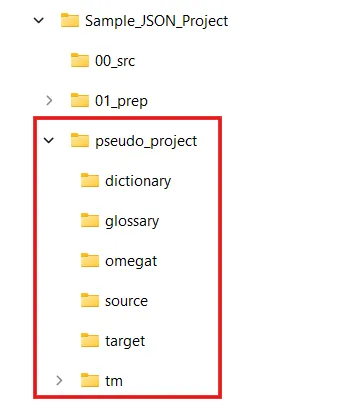
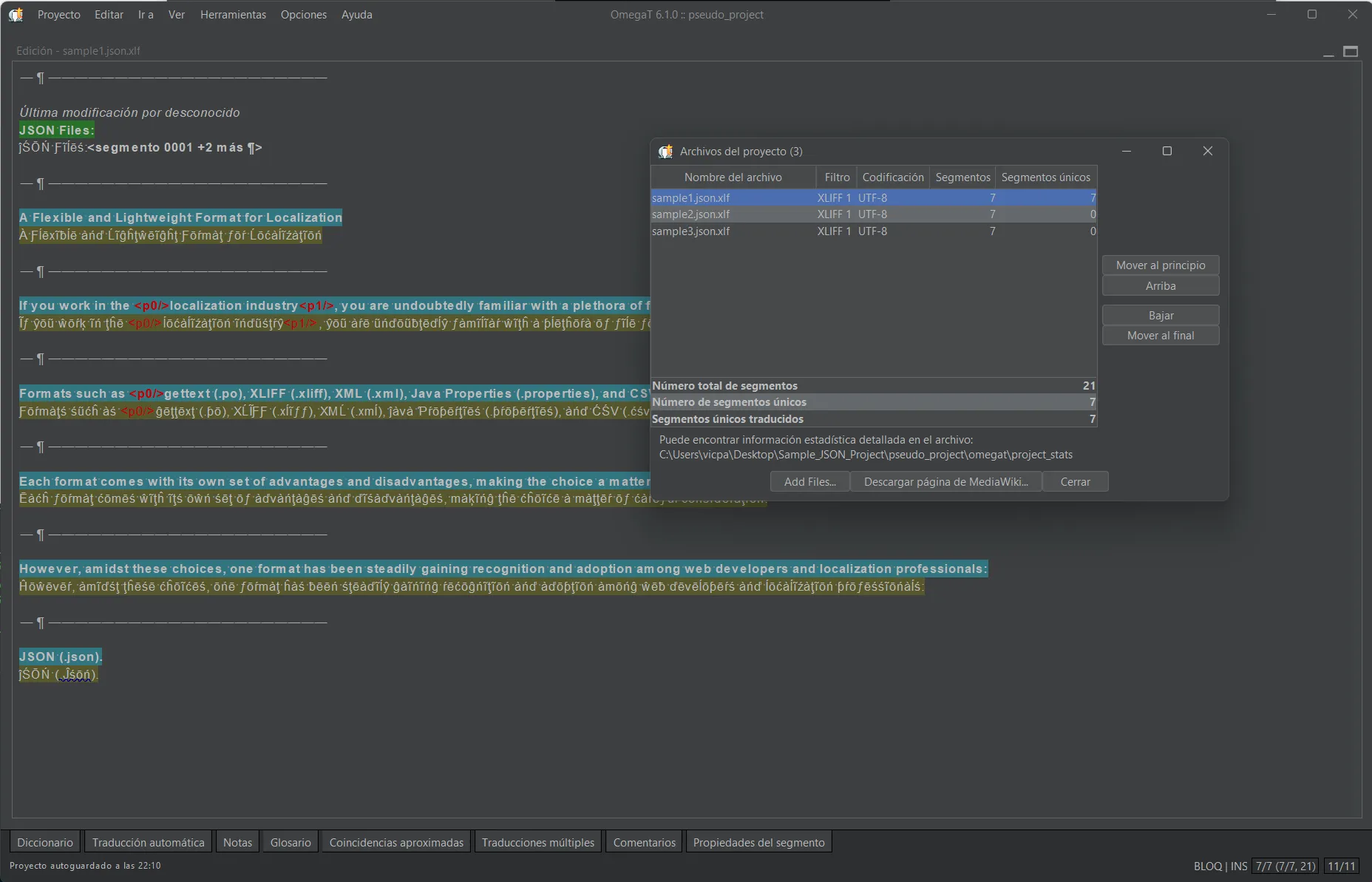
OmegaT. The script copies an empty project I keep as a template, puts the pseudotranslated XLIFF files in its source folder and opens it in OmegaT:
After each tool, the script checks that the file it expected is there and stops with a message if it is not. A preparation that half worked is worse than one that failed, because somebody will send it.
From double-click to OmegaT, all I typed was two language codes.
What I would do differently today
The script did its job for a long time. If I wrote it now:
- I would write anything bigger in Python. It runs on any operating system, handles errors properly and leaves a log. Batch is still fine for chaining three tools on Windows.
- I would keep the configurations under version control, not in a folder on my machine, so the whole team prepares files the same way.
- I would treat preparation as a build: same inputs, same output, and a loud failure when something is off. I wrote about that idea in When a localization file becomes a build artifact.
The short version
- Write down the manual steps first: the script is those same steps, in order.
- Keep the configurations (
.fprm,.srx,.pln) next to the files they prepared. callother batch files, and remember that a 1 from robocopy means success.- Pseudotranslate and open the result in a CAT tool before anything reaches translators.
What the filter configuration decides is explained in How file filters extract text for translation.