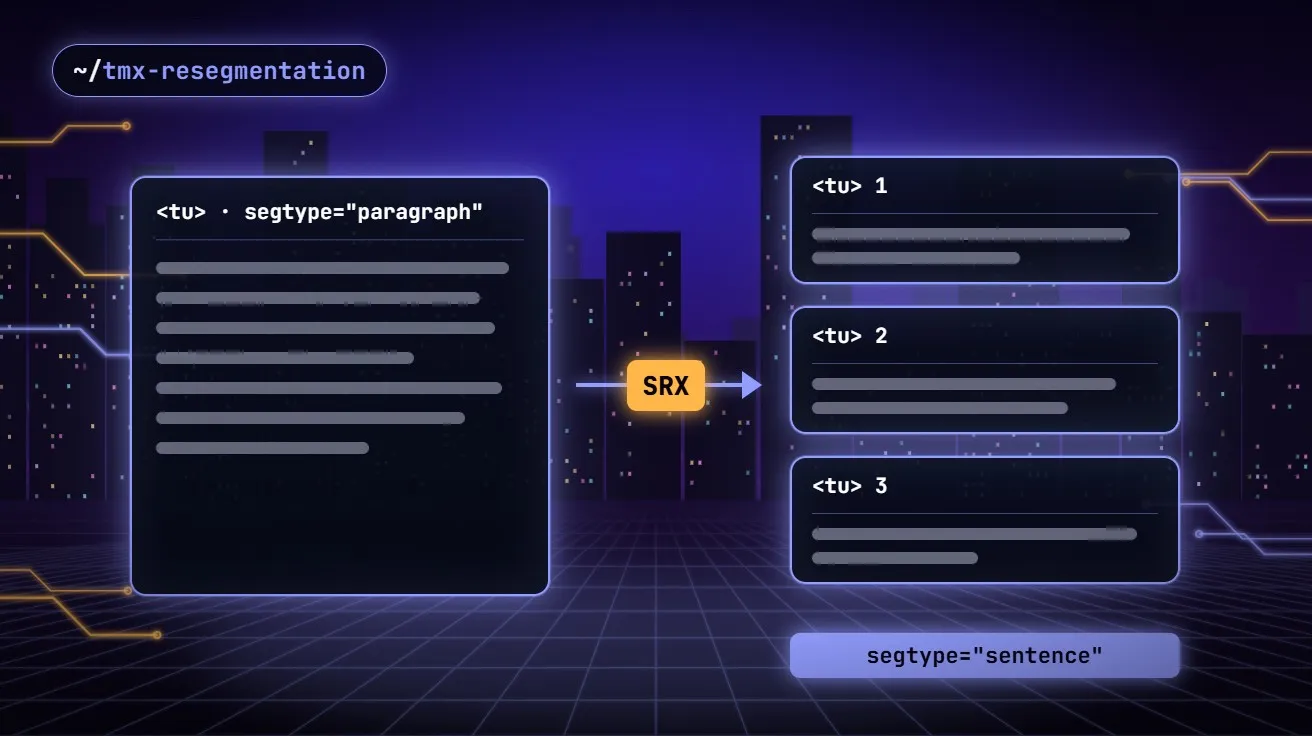
A memory segmented by paragraph is a memory you barely use: it only matches when a whole paragraph repeats. Resegmenting it by sentence brings it back to life.
Clients sometimes deliver translation memories segmented by paragraph, usually exported from a tool or a workflow that never split the text. In a CAT tool that segments by sentence, those units almost never match. Resegmenting a memory with a different rule is not trivial and never 100% reliable, so it needs checks along the way and, quite often, some manual cleanup. These are the two methods I use.
First, confirm what you have
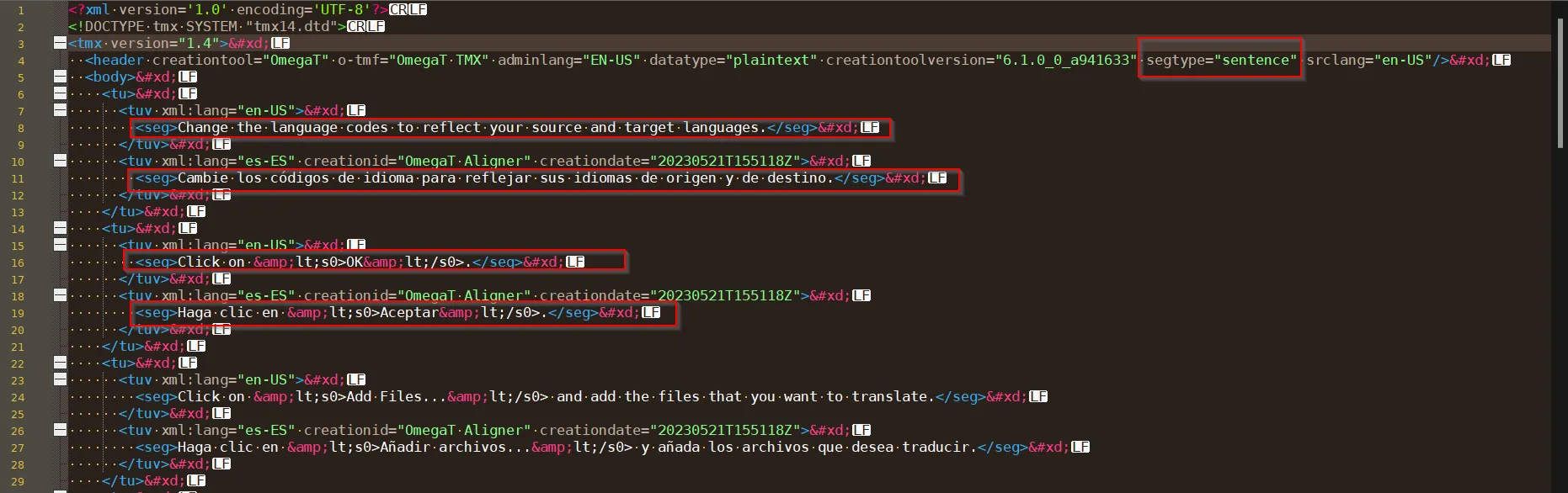
Open the TMX in a text editor (Notepad++ is enough) and check two things: the segtype attribute in the header and a few translation units.
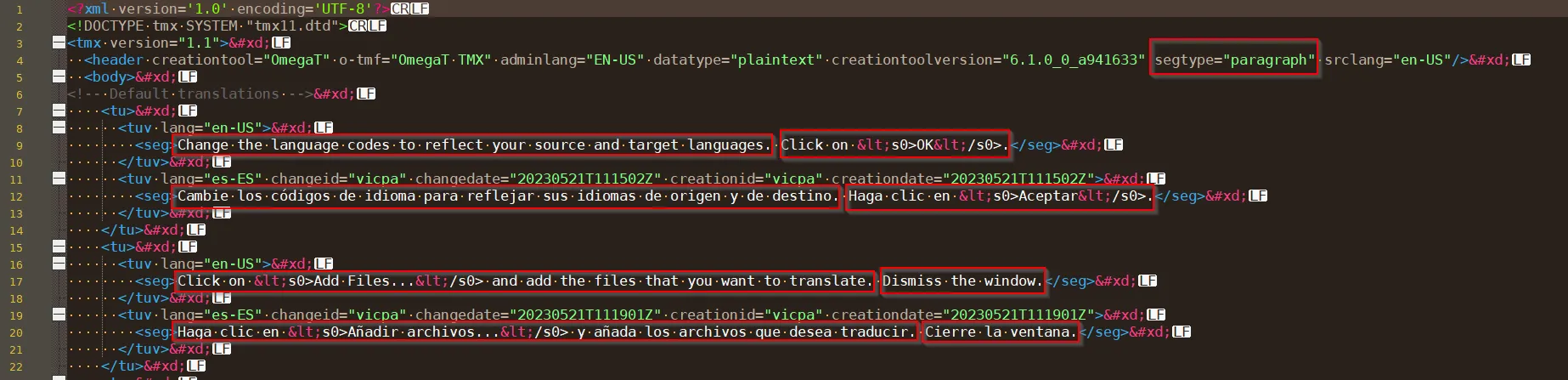
If you see segtype="paragraph" and units several sentences long, you are in the right article.
Method 1: realign the text
Most CAT tools include an aligner. I use OmegaT’s, but memoQ, Trados or Okapi will do the same job. The idea is to extract the source and target text from the memory and align it again, this time with sentence segmentation.
- Extract the source segments. In Notepad++, a regular expression marks the contents of the source
<seg>elements (adapt it to the structure of your memory):
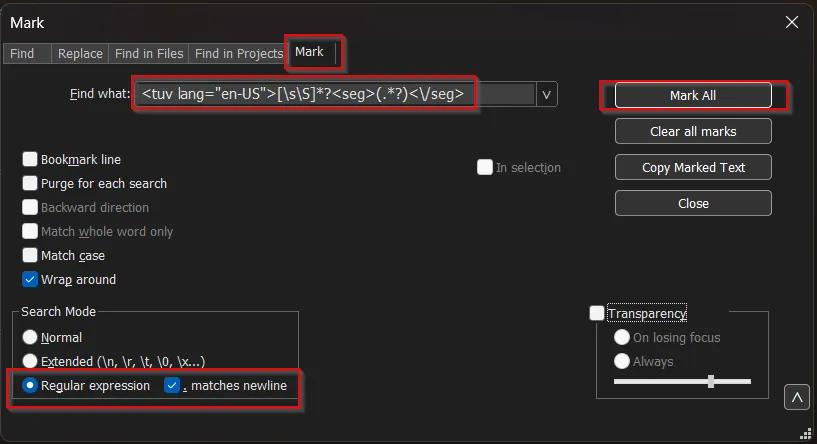
Copy the marked text into a new file:

- Remove the leftover XML with another search and replace, so only the text and its inline tags remain:
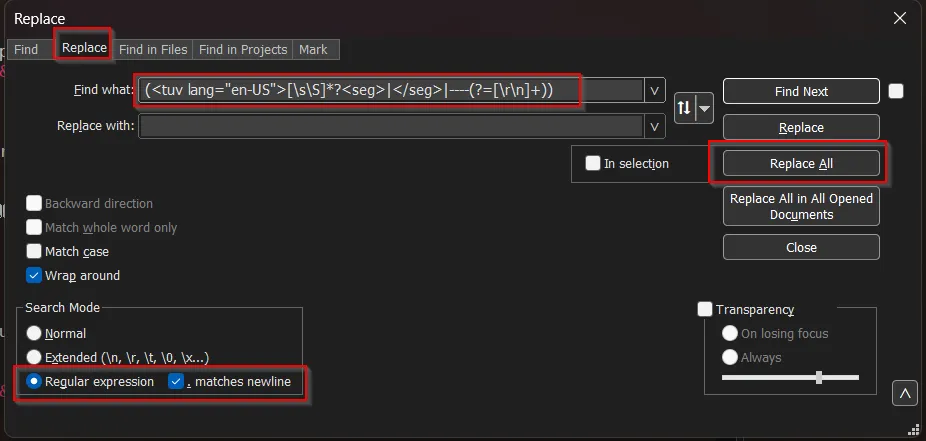
- Do the same with the target language. You end up with two clean documents:
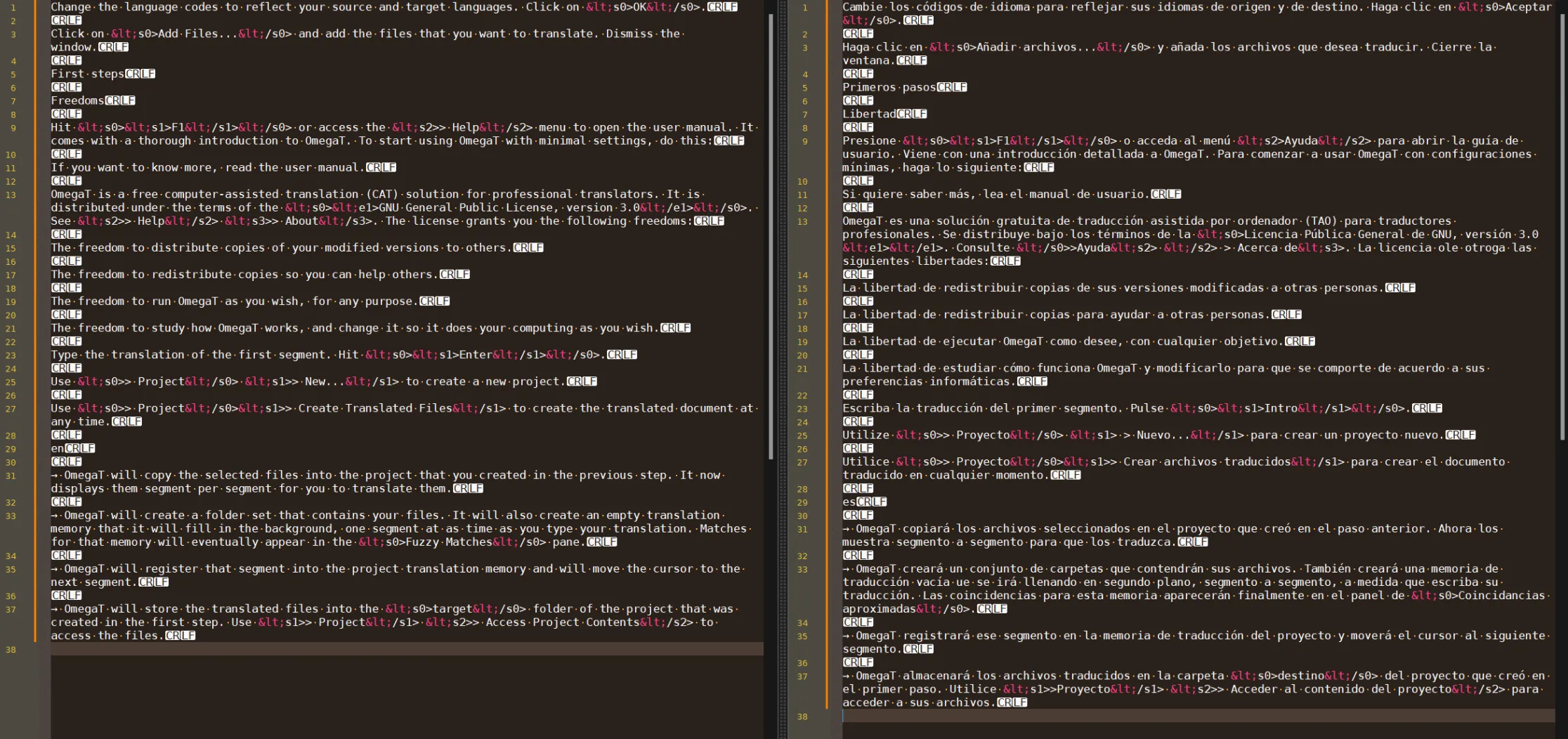
It is slow and tedious, but it is what keeps the inline tags through the alignment, and the tags are what make the new memory useful.
- Align with sentence segmentation. The key setting is the segmentation rules of the aligner, which must produce exactly the segmentation you want:
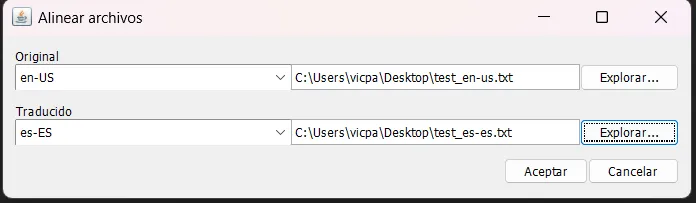
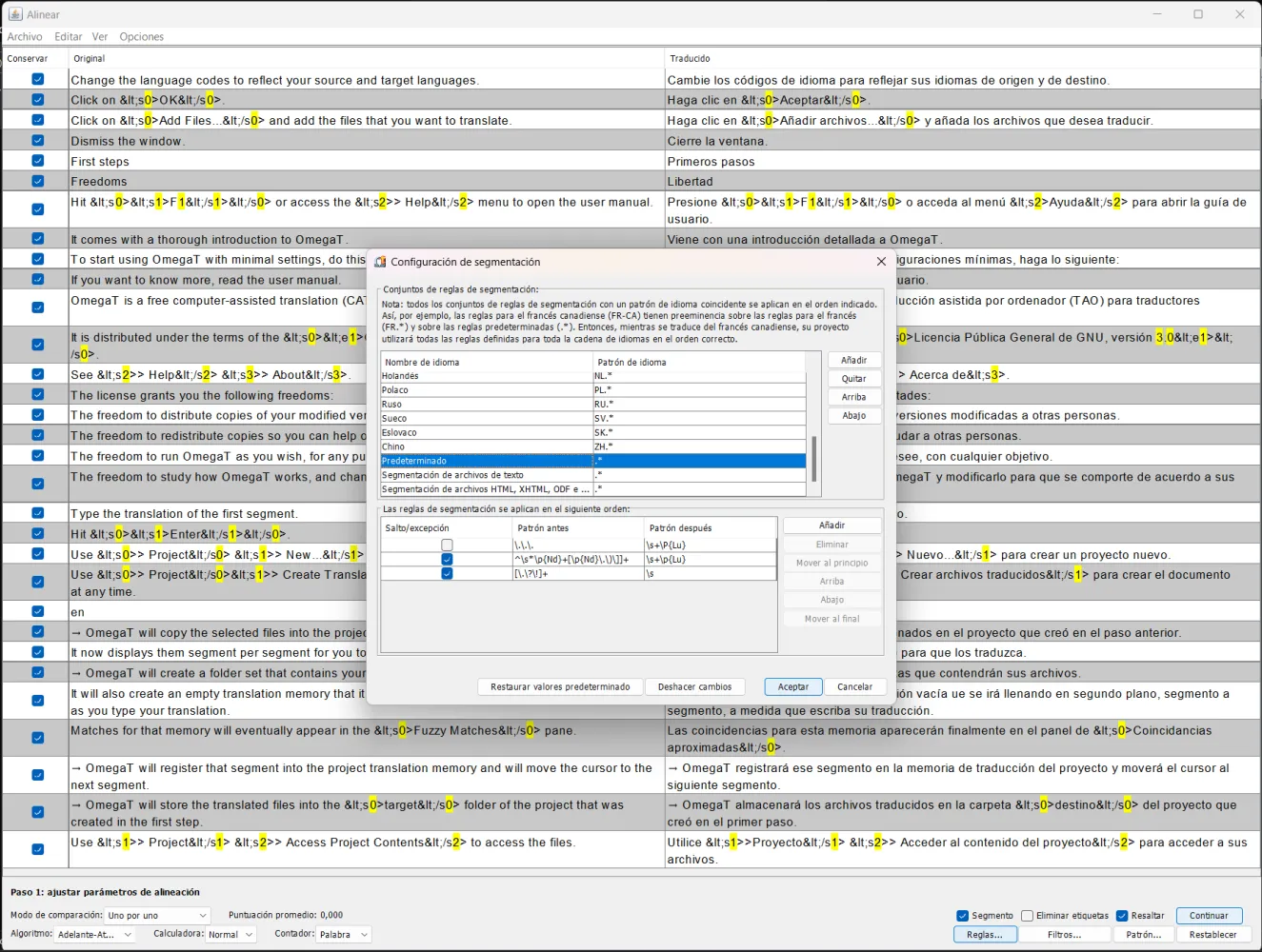
- Review the alignment and create the TMX:
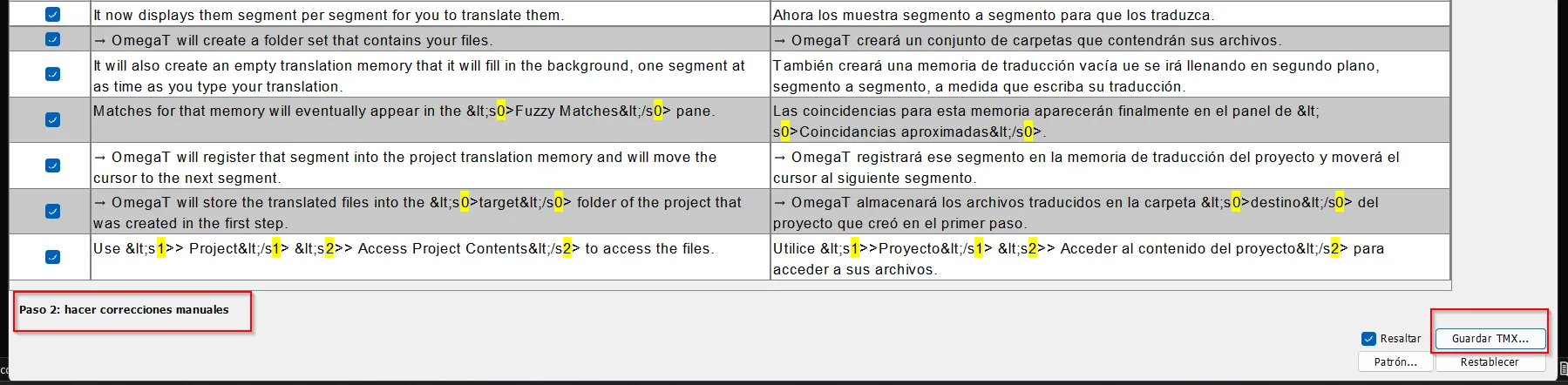
The same content, now with one sentence per unit:
Method 2: force the resegmentation with SRX in Rainbow
The second method uses Rainbow, from the Okapi Framework, and it is much faster because it skips the manual extraction. The idea is to convert the TMX into XLIFF, letting Rainbow resegment source and target with SRX rules (the standard format for segmentation rules), and then convert the XLIFF back to TMX.
- Load the memory in Input 1 with the TMX filter:
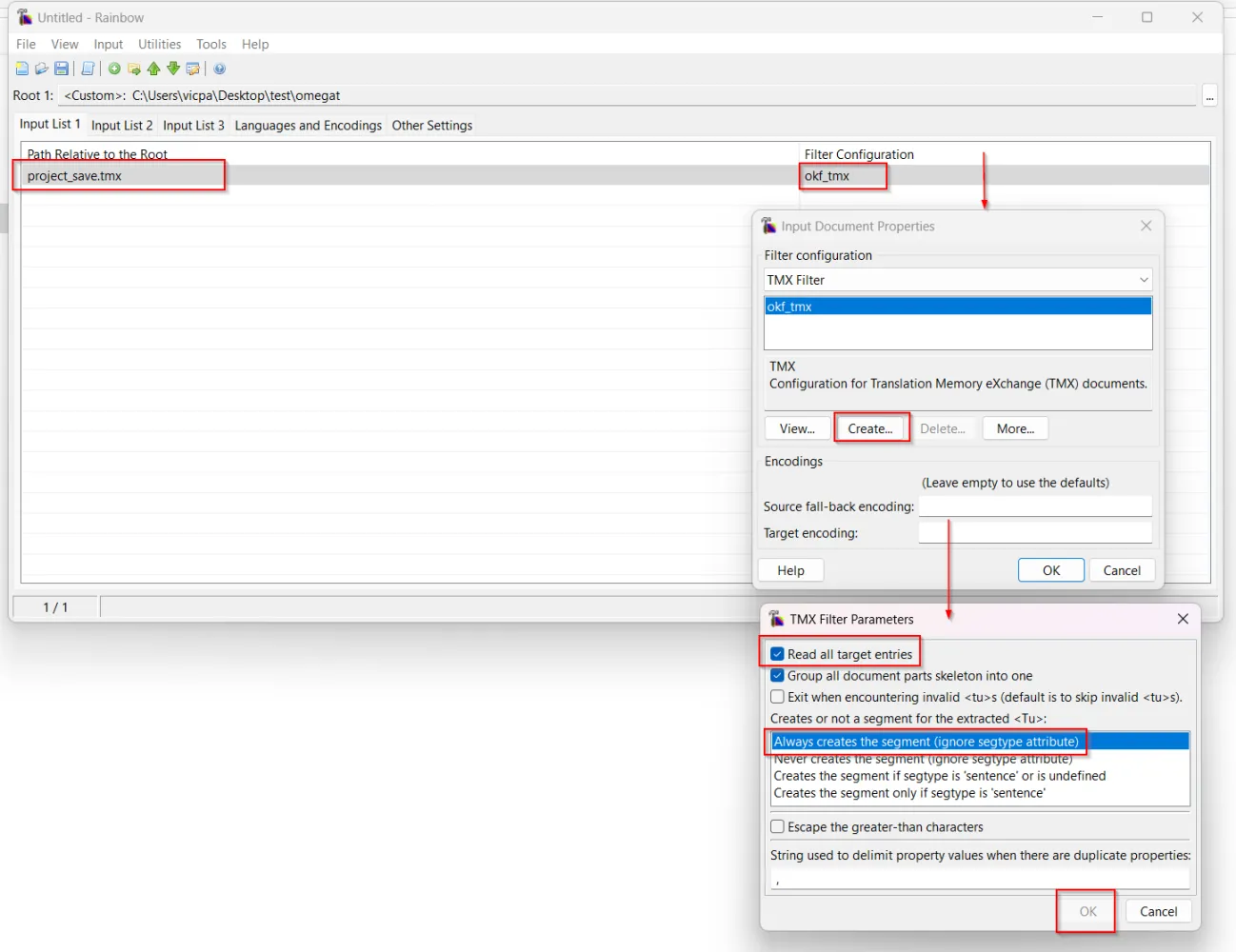
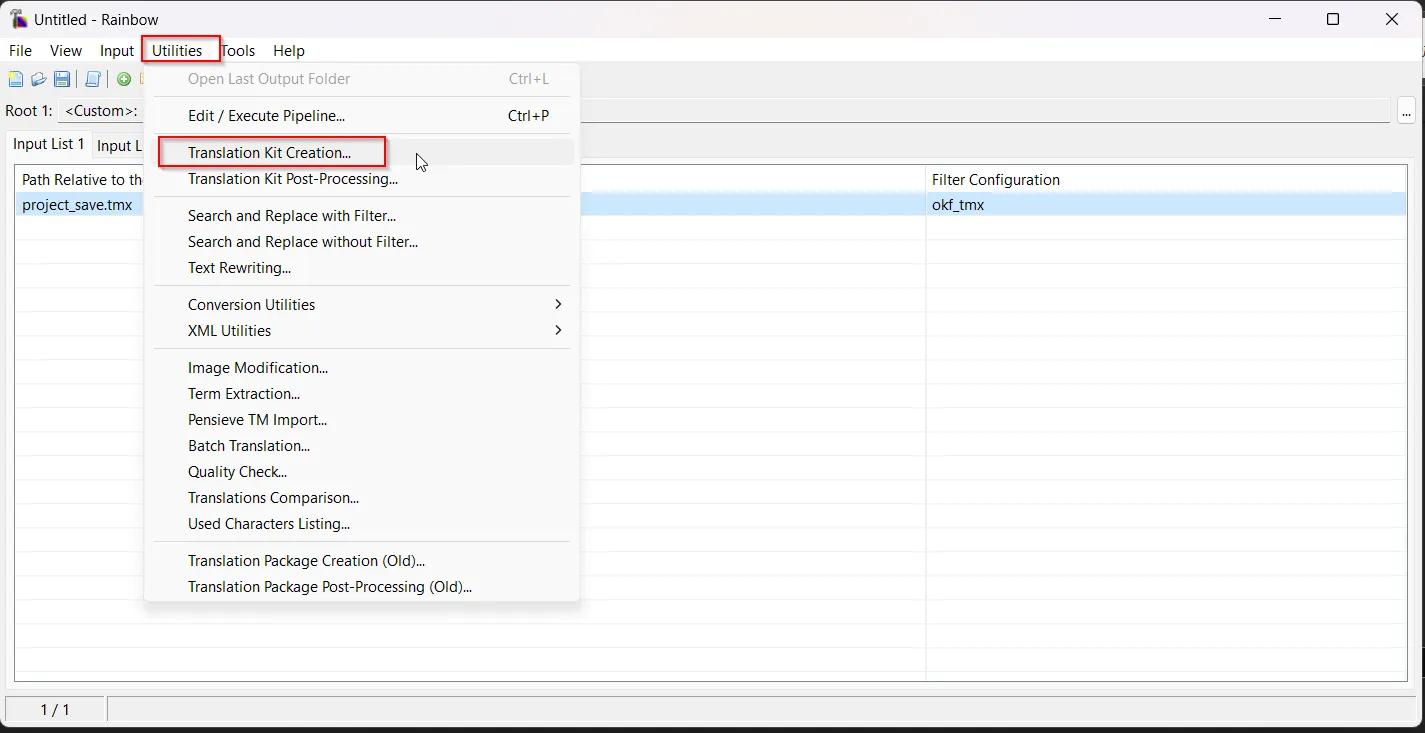
- Create a translation kit from it:
- Choose the segmentation. This is where the resegmentation happens: load SRX rules (OmegaT’s default rules are a good starting point) and force the resegmentation of both source and target:
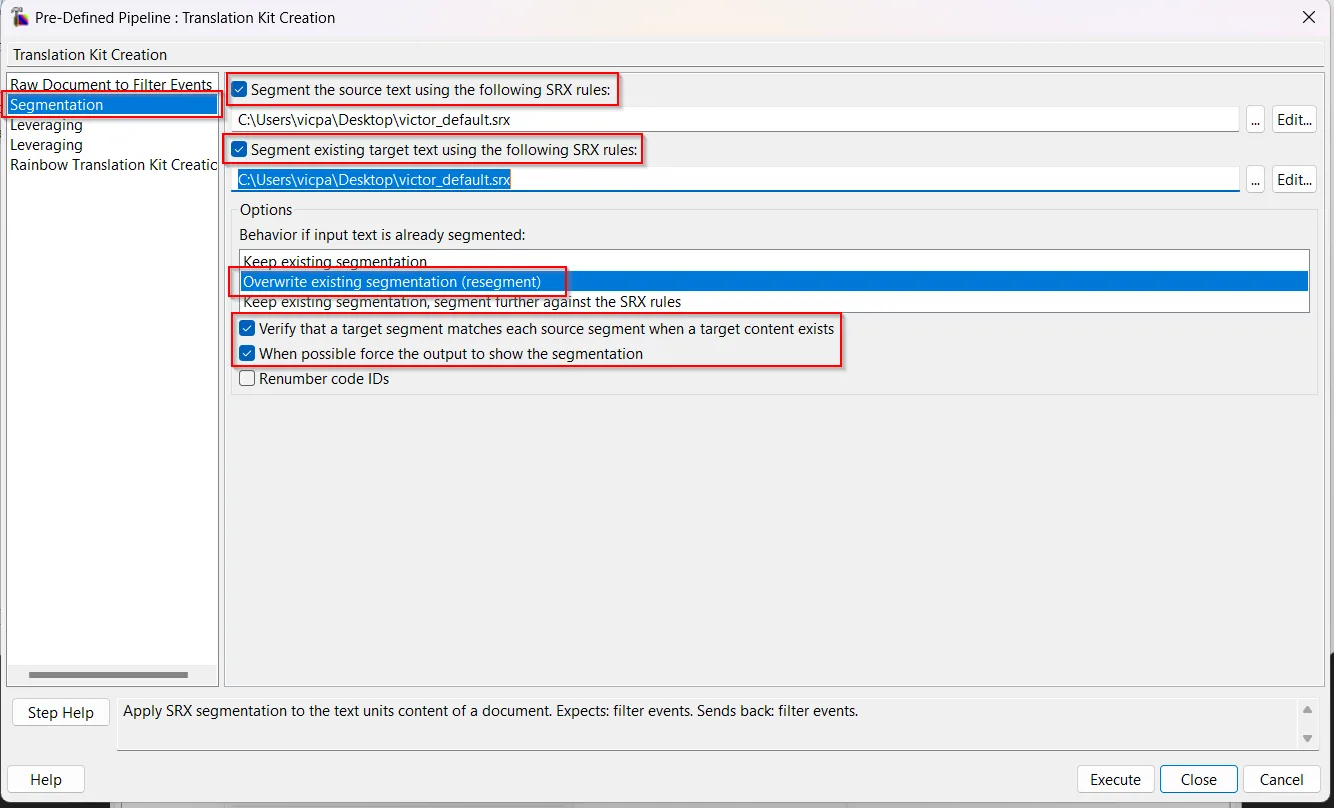
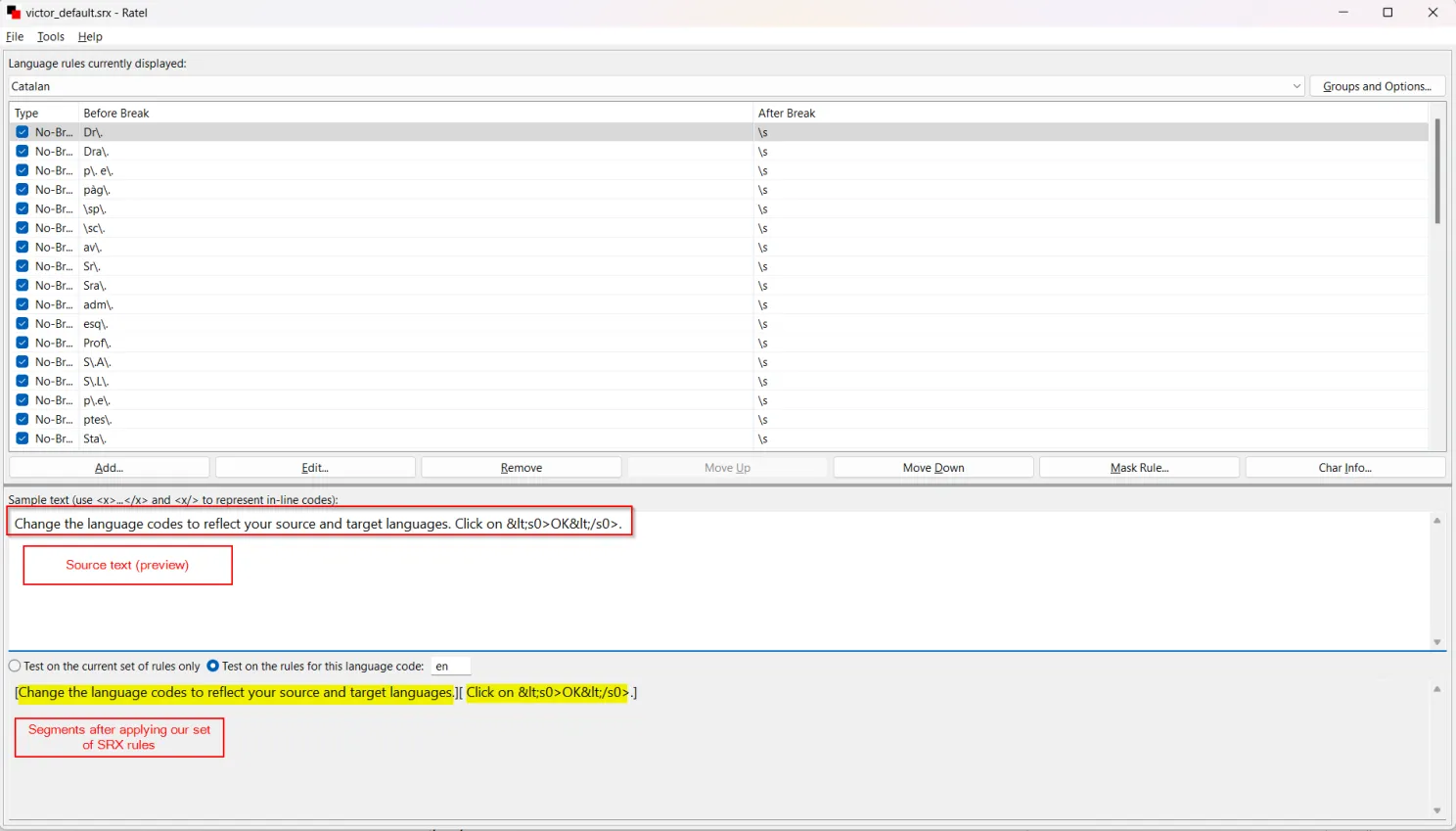
The rules are everything here. They must be clear and symmetric so that source and target split in the same places. If in doubt, click Edit… to open Ratel, Okapi’s SRX editor, which previews the rules in real time:
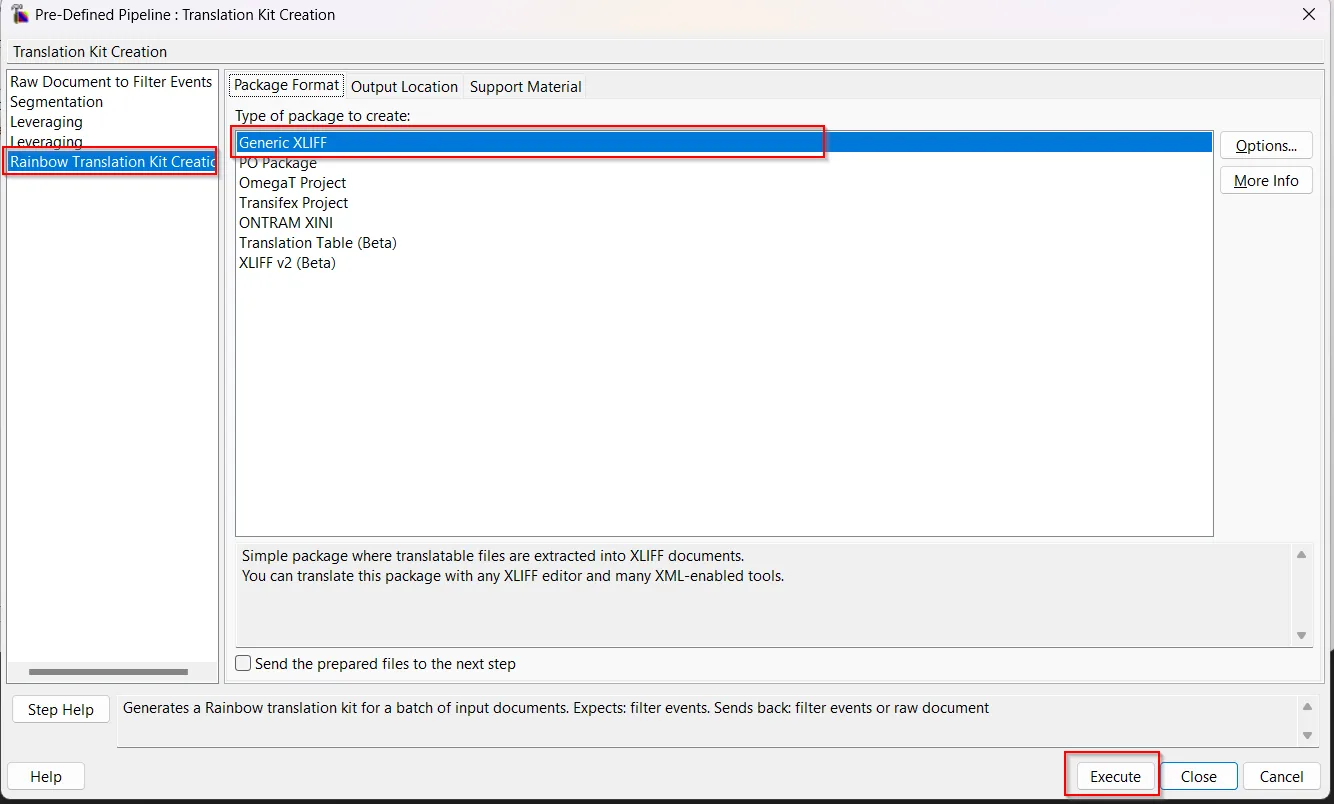
- Choose XLIFF as the output and run it:
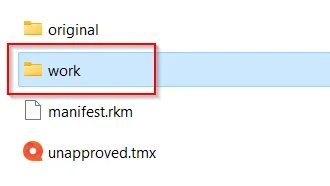
Rainbow creates a package, and the XLIFF is in its Work folder:
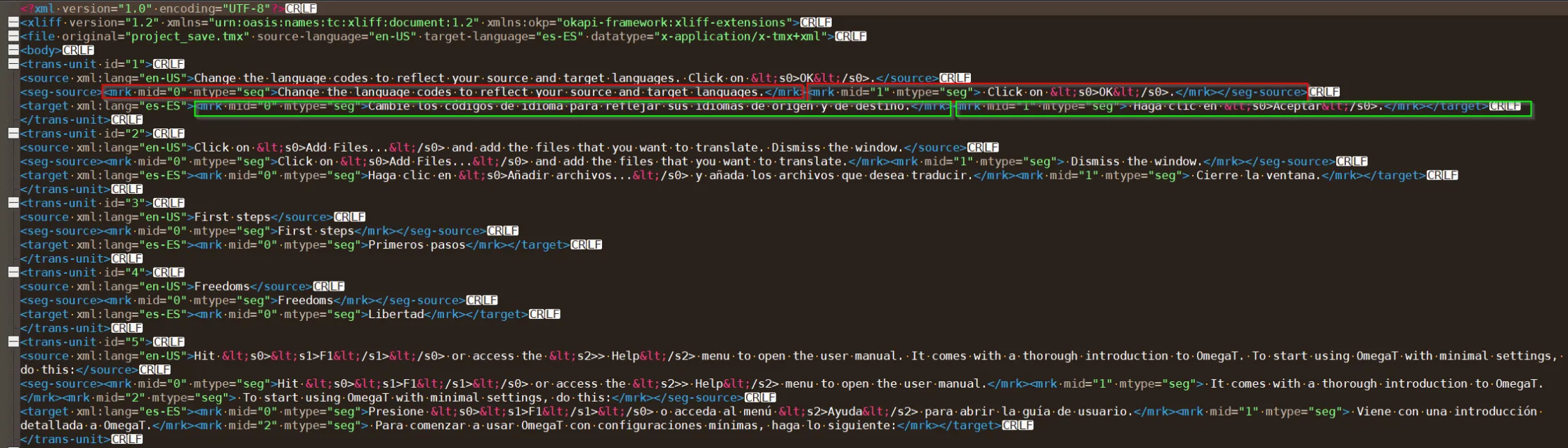
- Check the XLIFF. In XLIFF 1.2, segmented source text goes inside
<seg-source>, with each sentence in an<mrk mtype="seg">element, and the target sentences sit in<mrk>elements inside<target>:
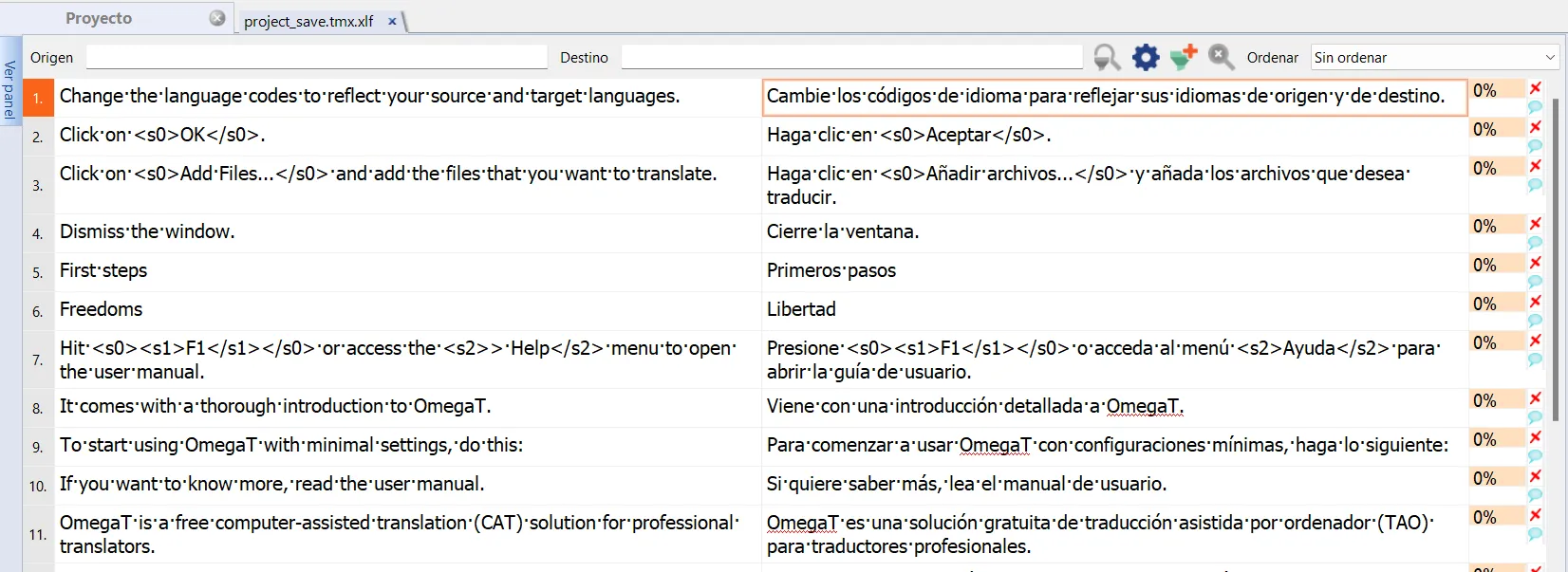
You can also open it in your CAT tool to see the segments:
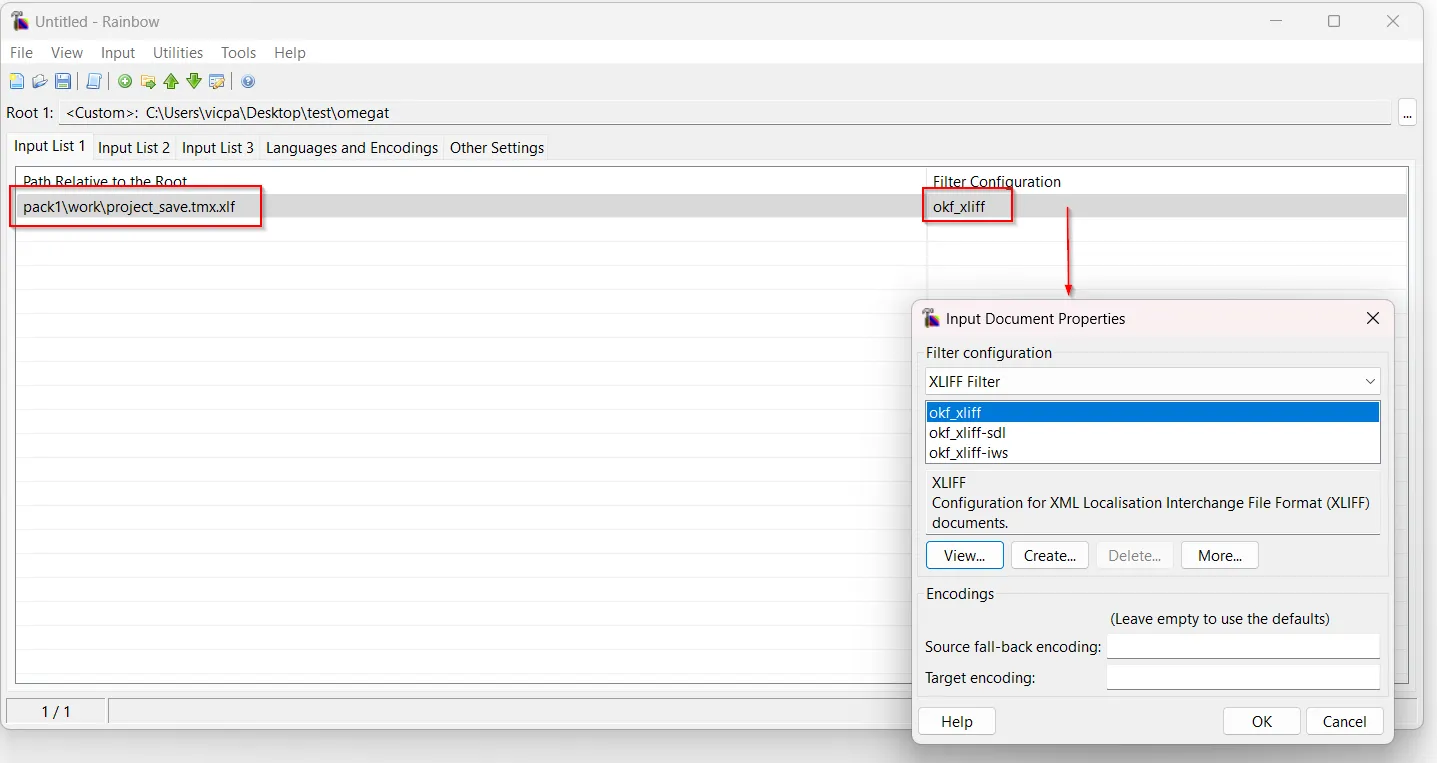
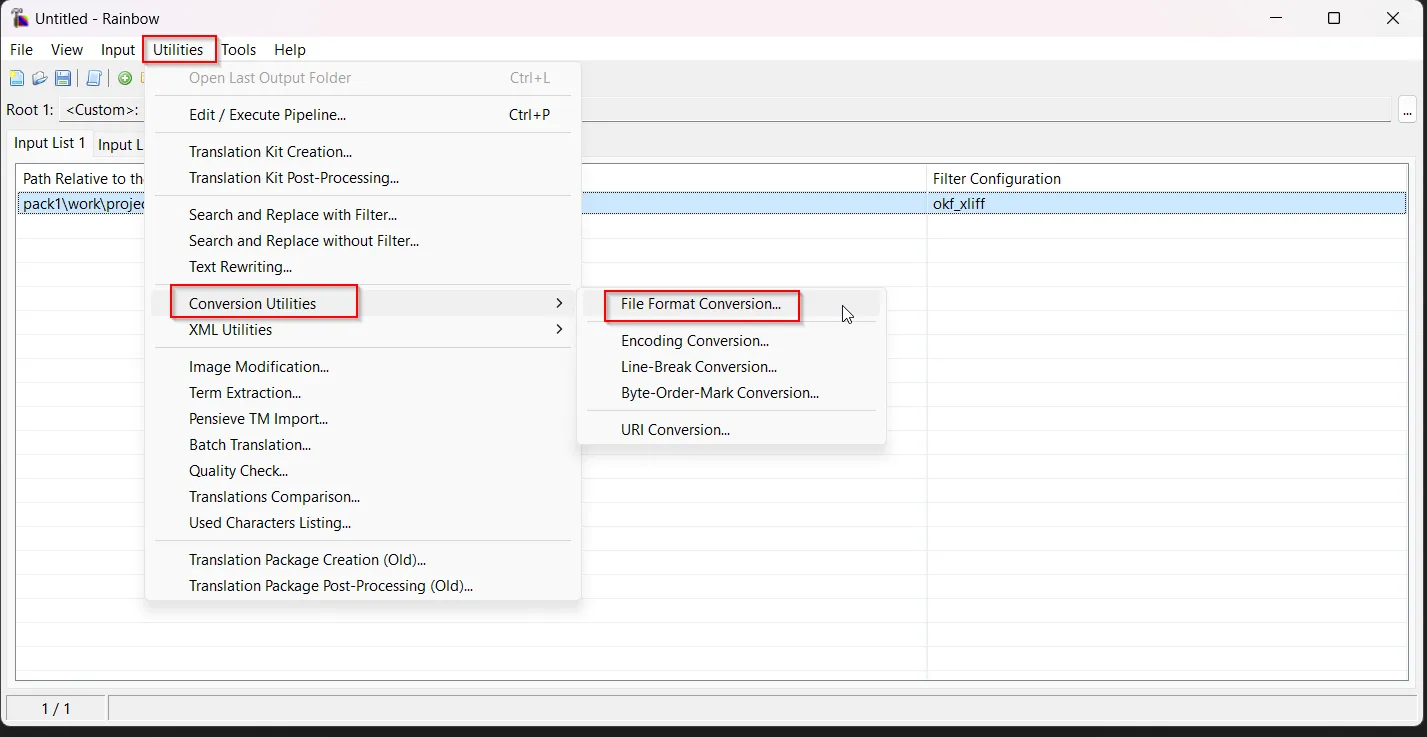
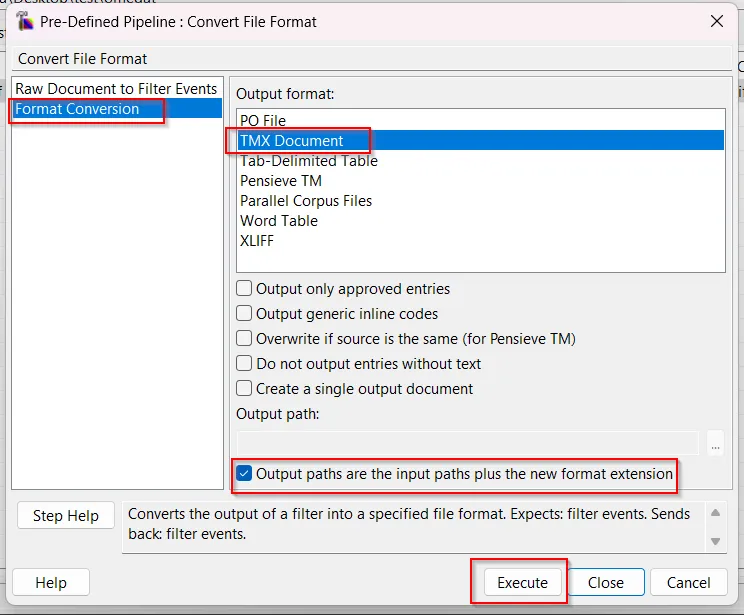
- Convert the XLIFF back to TMX. Load it in Input 1 (Rainbow selects the XLIFF filter on its own), open Utilities > Conversion Utilities > File Format Conversion… and choose TMX as the output:
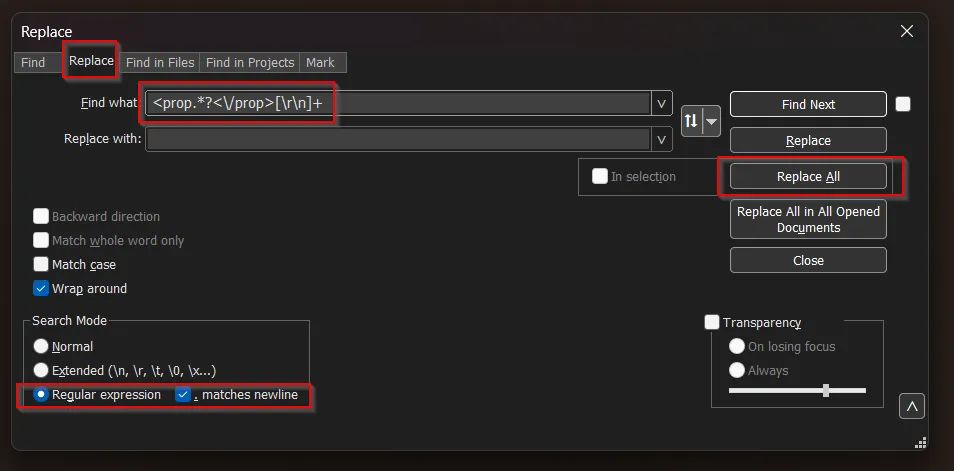
- Clean up. The new TMX carries some
<prop>elements you probably do not need:
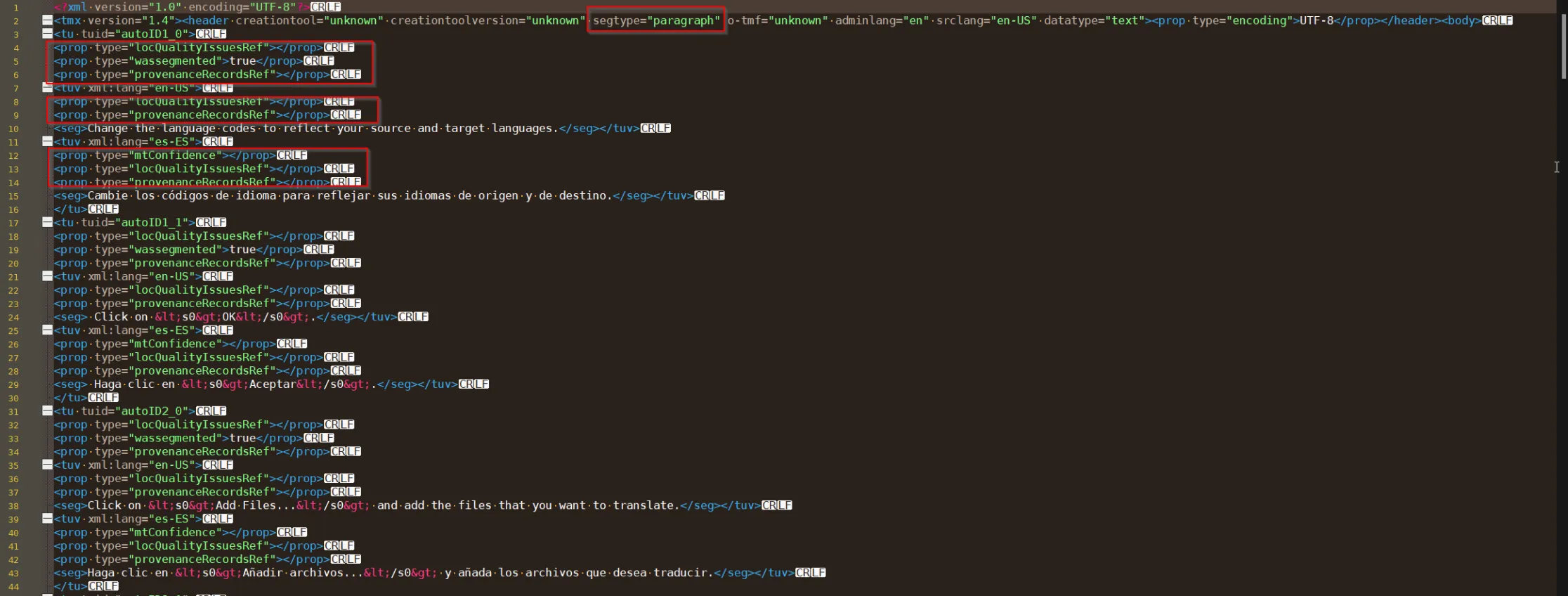
A regular expression removes them:
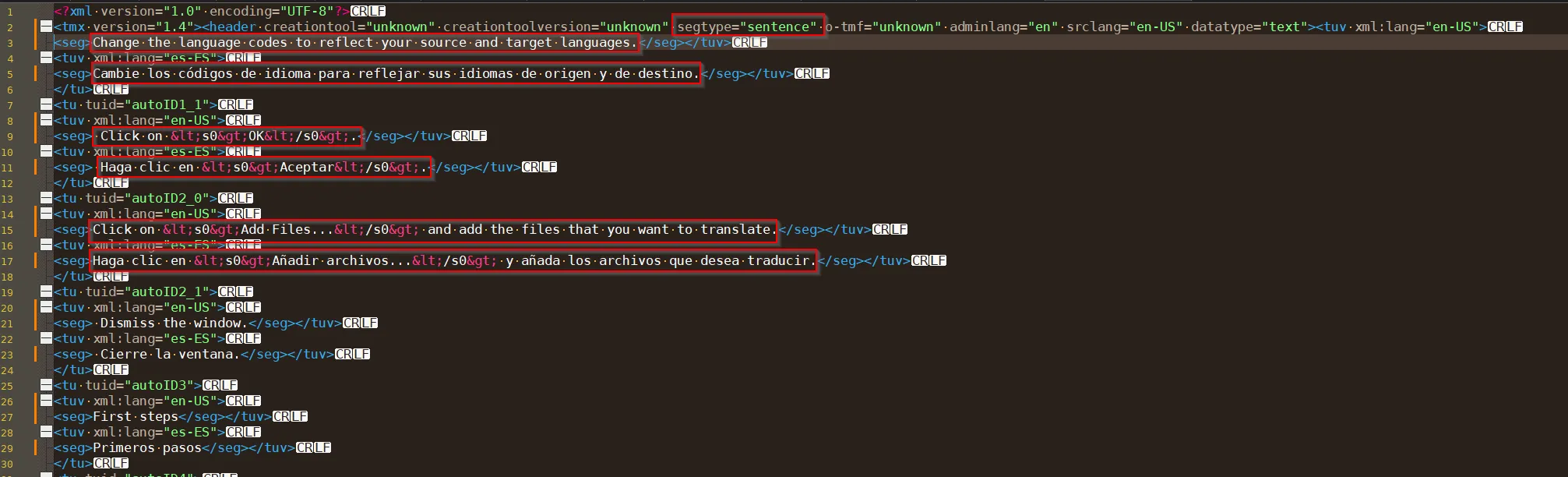
Finally, change segtype="paragraph" to segtype="sentence" in the header. The memory is now segmented by sentence, tags included:
Which one to use
Method 2 is faster and repeatable, and I use it whenever the rules split both languages cleanly. Method 1 is slower but gives you full control, which pays off when the translation was loose and the sentences do not correspond one to one. Either way, open the result in a TMX editor and review a sample before you trust it. TMXEditor by Maxprograms, which is actively maintained, validates and cleans TMX files.
If your starting point is a pair of documents rather than a memory, see text alignment; if it is a pair of resource files with keys, align them by ID.
The short version
- Check
segtypeand a few units before you start. - Realign when the translation is loose; force SRX resegmentation when it is faithful.
- Keep the inline tags: a memory without them costs an edit on every match.
- Update
segtypeand review a sample of the result.