
In a world where connection knows no boundaries, the power of localization has risen to the forefront of global business strategies. Beyond mere translation, it’s the art of crafting experiences that resonate across diverse languages, cultures, and markets.
Today, we embark on a journey into the heart of language adaptation, unveiling two transformative techniques shaping the landscape: stop word removal and term extraction. Grounded in Natural Language Processing (NLP), these techniques are the keystones to authentic communication and scalable localization architectures.
The Challenge of Modern Localization
Localization goes beyond translating text; it involves adjusting format, style, tone, and content to suit target audiences, increasing usability while avoiding potential misunderstandings.
One of the biggest challenges we face is dealing with massive, diverse datasets. Text comes from software code, user interfaces (UI), documentation, and marketing materials. It varies in format, structure, and complexity. To handle this, localization professionals rely on NLP techniques to extract the most relevant information efficiently.
Why Stop Word Removal Matters
Stop words are common words like “and”, “the”, or “him” that do not convey significant meaning about the content of a text. In NLP tasks—such as text summarization, machine translation, or keyword extraction—these words act as “noise”.
Removing stop words before processing reduces data complexity. For example, if you are building a glossary by analyzing word frequency, eliminating stop words ensures you only capture the core terminology.
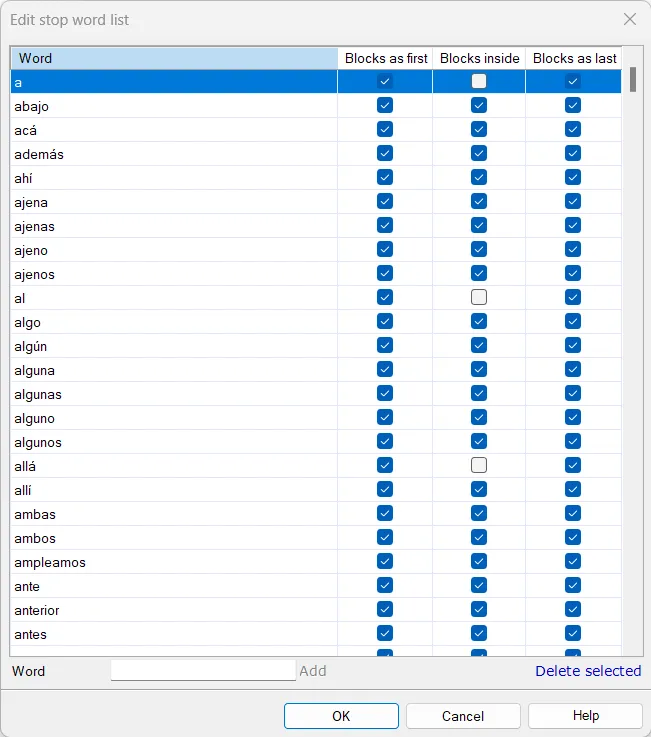 Stop Words Settings in memoQ
The Magic of Term Extraction
Term extraction is the process of finding words or phrases that represent key concepts or domain-specific knowledge. Unlike ordinary words, terms are highly informative.
In localization, term extraction allows engineers and translators to:
- Manage Key Concepts: By extracting terms from source code or documentation, teams can build robust glossaries, ensuring consistent terminology across all assets.
- Refine Search Queries: Expanding searches with extracted synonyms increases the precision of Information Retrieval systems.
Real-World Applications
- Software Localization: A company scanning its UI and documentation to generate a core feature glossary for the translation team.
- Medical Translation: A translator extracting highly specialized terms from a clinical trial report to cross-reference with databases before starting the translation.
- Cultural Adaptation: A project manager extracting location-specific entities (like Japanese festivals or foods) to verify their stylistic adaptation across different English variants (US vs. UK).
Tools of the Trade
Several powerful tools facilitate this process:
- scikit-learn: A Python machine learning library. Its
CountVectorizerclass converts text collections to token counts, applying n-gram analysis and removing stop words. - RAKE: A fast algorithm that uses phrase/word delimiters and stop word lists to partition text into candidate keywords, scoring them by frequency and co-occurrence.
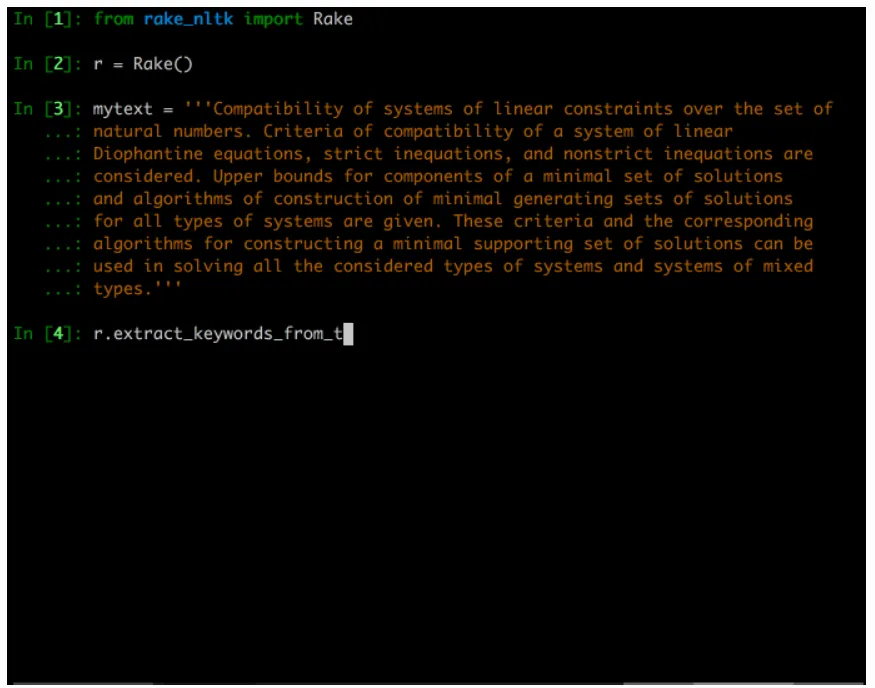 RAKE Algorithm in action
Step-by-Step: Term Extraction with Okapi Rainbow
The Okapi Framework is a free, cross-platform, open-source suite of localization components. Its GUI application, Rainbow, features a powerful Term Extraction Pipeline that leverages statistical analysis and terminology annotations.
Here is how to extract terms using Okapi Rainbow:
1. Download Okapi Framework: Ensure Java is installed. Okapi is portable, so simply extract the folder and run the apps.
2. Launch Rainbow: Open the app and create a new project (File > New Project).
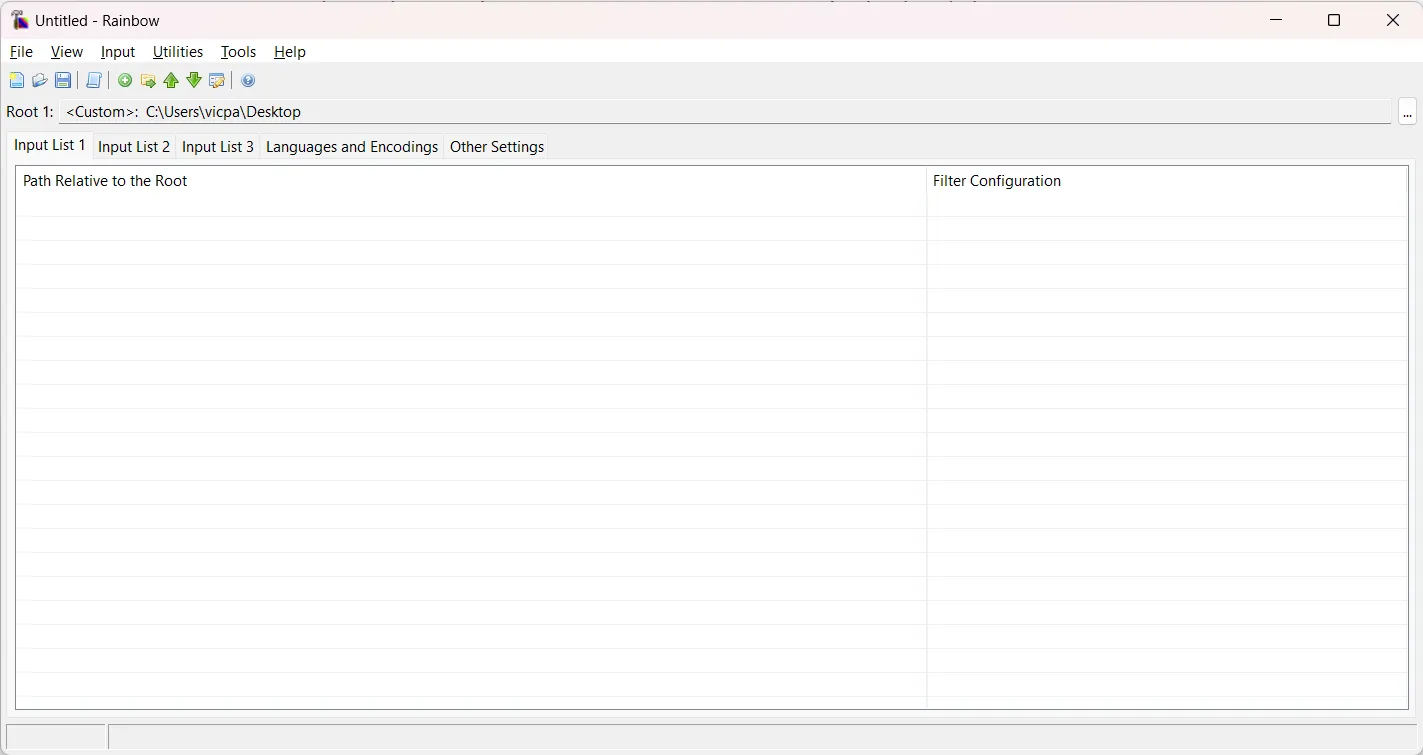
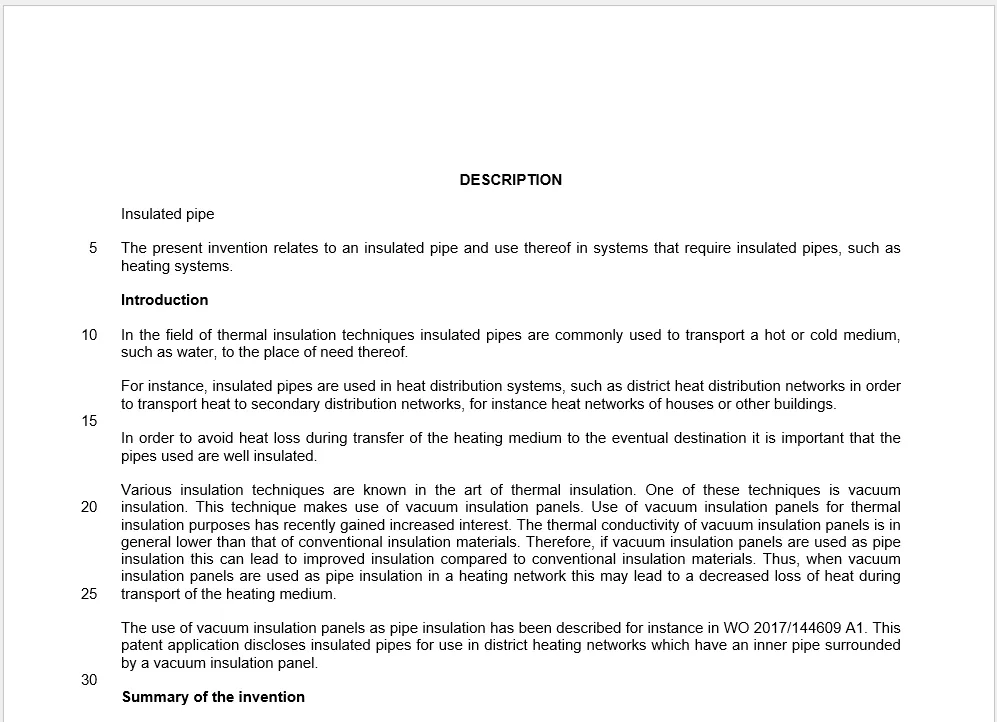
3. Add Input Files: Drag and drop your source files. For this example, we use a specialized mechanical text (Sample_EN-US.docx).
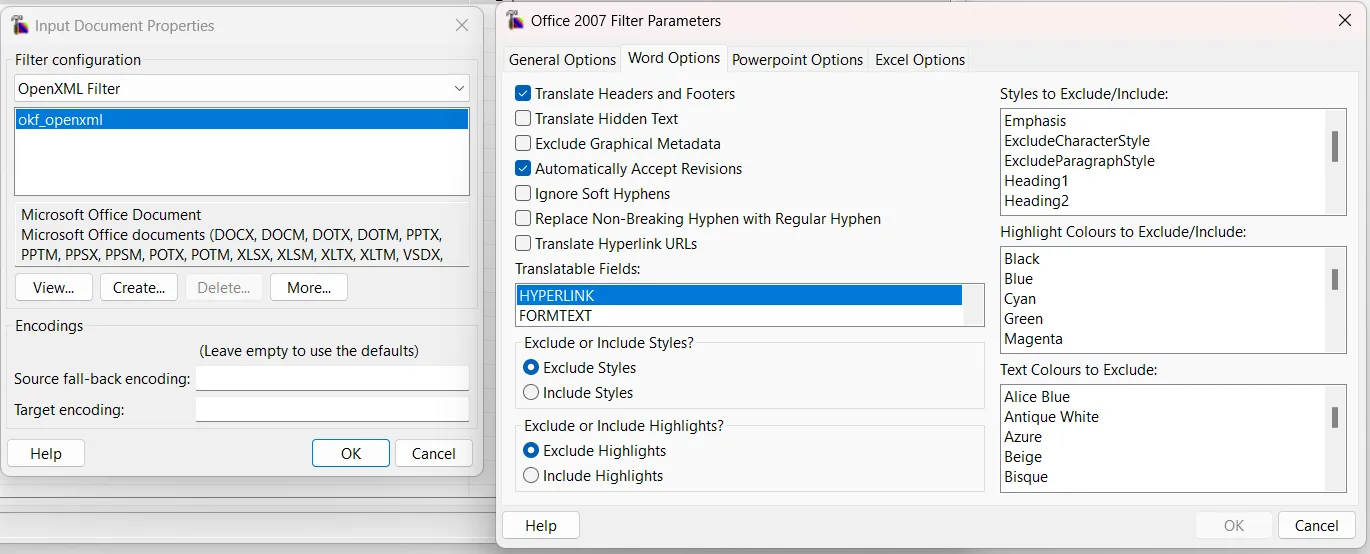
4. Check Filter Configurations: Ensure Rainbow is using the correct parser (e.g., OpenXML for MS Office). Formats like XML and XLIFF support terminology annotations, significantly enhancing precision.
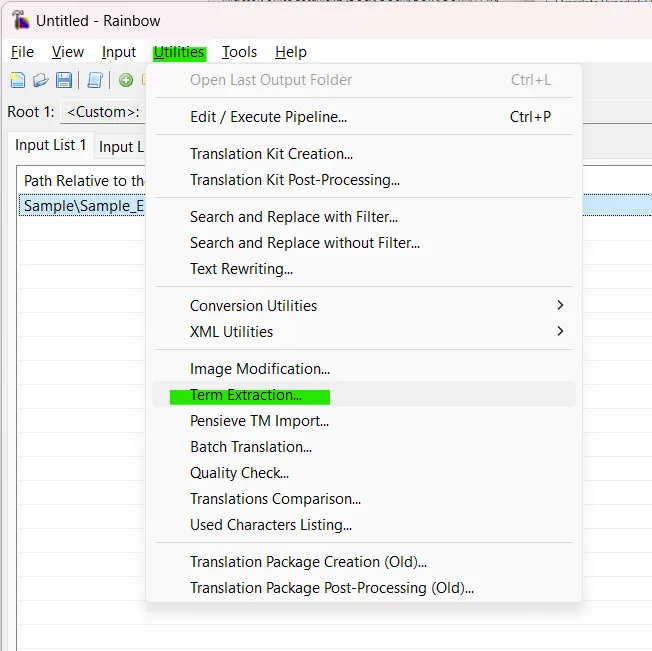
5. Access the Utility: Navigate to Utilities > Term Extraction....
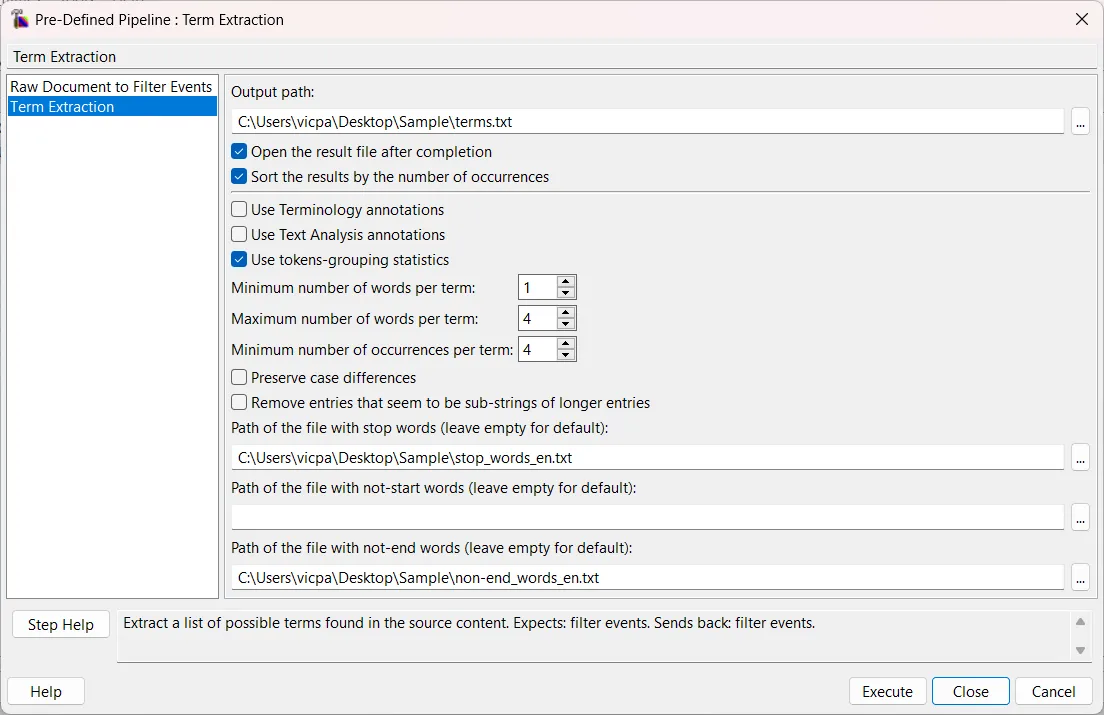
6. Configure Parameters: Set your extraction rules. You can filter by minimum/maximum word count, occurrence frequency, and provide custom text files containing your specific stop words.
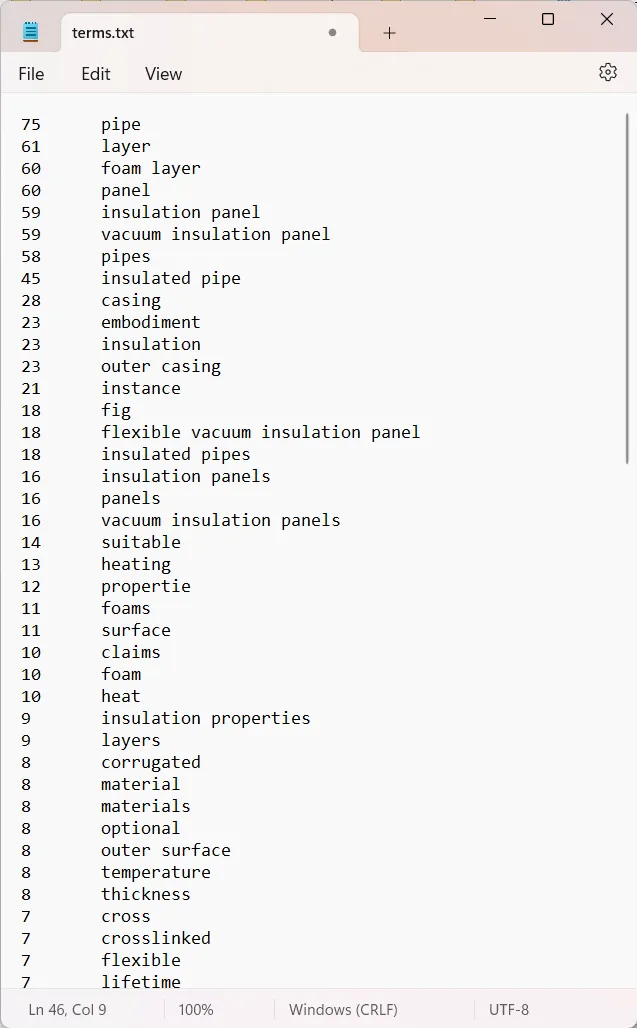
7. Execute: Run the pipeline and open the generated tab-delimited file. You will see a clean list of term candidates alongside their occurrence frequency.
Bridging Translation and Technology
Armed with this list, you can refine your project’s terminology, curate a polished glossary, and feed it directly into your CAT tools.
In the dynamic landscape of modern communication, techniques like stop word removal and term extraction are indispensable. The Okapi Framework perfectly marries technology with human expertise, proving that localization is much more than translating words—it’s about building scalable systems that connect cultures seamlessly.